


You’ve been there. You open a “best tech products 2026” article, and thirty seconds in, you’re staring at a list of fifteen products with zero explanation of who they’re actually for, or why one might be right for you specifically.
Most of these lists are built for clicks, not decisions.
You don’t need forty products. You need the right six, researched properly, matched to real situations, and explained honestly, including the parts that don’t work.
That’s exactly what this guide is.
Part of Home Office Gear GuidesWe analyzed six products across the most important tech categories for 2026: laptops, earbuds, smartwatches, monitors, home networking, and desk accessories. Every spec you see here comes from verified sources. Every weakness we list is real.
If you’re shopping for the best tech products to buy in 2026, whether for your home office, as a gift, or as a personal upgrade, this is the guide that actually helps you decide.
That’s not a small group of people making this decision. According to the Bureau of Labor Statistics, over 36 million Americans now work remotely at least part of the time. Every one of them needs a tech setup that actually works, and most are still figuring out what that looks like.
The 6 Best Tech Products to Buy in 2026, Quick Answer
If you’re in a hurry, here’s the short version. Every product below is covered in full detail further down, who it’s for, who should skip it, and where to find the best price.
| Product | Category | Best For | Price Range |
|---|---|---|---|
| Apple MacBook Air M4 (13-inch, 2025) | Laptop | Remote professionals, students, creators | $1,099+ |
| Sony WF-1000XM6 | Earbuds | Focus-heavy professionals, commuters, call-heavy remote professionals | $329.99 |
| Apple Watch Series 10 (GPS + Cellular) | Smartwatch | iPhone users wanting health tracking + phone independence | $399+ |
| LG 27UP650K-W (27-inch 4K) | Monitor | Home office professionals wanting 4K clarity at a fair price | ~$240–$280 |
| TP-Link Deco BE65-Outdoor | Wi-Fi 7 Mesh | Homeowners wanting coverage that reaches everywhere | ~$300 |
| Anker 341 USB-C Hub (7-in-1) | Accessory | MacBook and laptop users who need more ports, instantly | ~$35 |
Jump to any section below for the full breakdown, who it’s for, who should skip it, and where to get the best price.
1. Best Laptop to Buy in 2026: Apple MacBook Air M4 (13-inch)
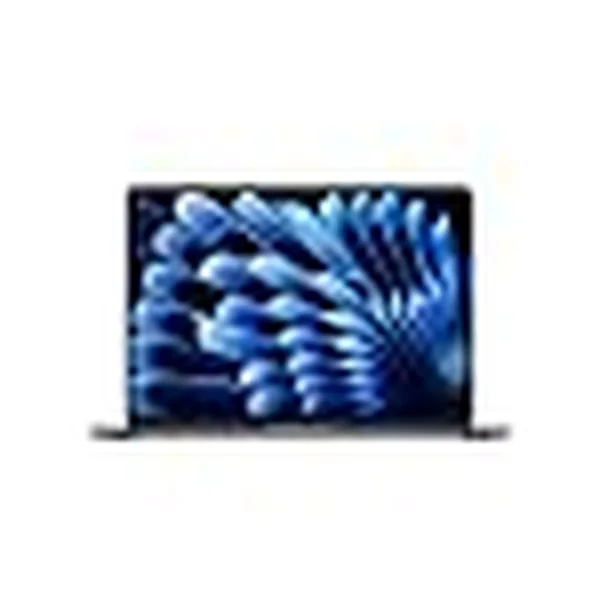
Apple 2025 MacBook Air 13-inch Laptop with M4 chip: Built for Apple Intelligence
If you’re spending six to eight hours a day on a laptop, and battery anxiety is a real part of your life, the MacBook Air M4 is the one.
Here’s the scenario most people recognize: you’re on a video call at 2pm, your laptop fan starts spinning up, the battery is at 22%, and the charger is in another room. That is the problem this laptop eliminates. Not by being flashy, but by being exceptionally reliable at exactly the things a work laptop should do.
Quick Specs
| Spec | Detail |
|---|---|
| Chip | Apple M4, 10-core CPU, 8 or 10-core GPU, 16-core Neural Engine |
| Display | 13.6-inch Liquid Retina, 2560×1664 resolution, P3 wide color, 500 nits brightness |
| random access memory (RAM) | 16GB Unified Memory (base configuration) |
| Storage | 256GB solid-state drive (SSD) (base configuration) |
| Battery Life | Up to 18 hours (Apple-rated video playback) / ~14–15 hours real-world mixed use |
| Webcam | 12MP Center Stage, upgraded from 1080p |
| Ports | 2x Thunderbolt 4/USB 4, MagSafe 3, 3.5mm headphone jack |
| Connectivity | Wi-Fi 6E, Bluetooth 5.3 |
| Weight | 2.7 lbs (1.24 kg) |
| Colors | Sky Blue, Midnight, Starlight, Silver |
| Price | Starting at $1,099 |
Who Should Buy This
This laptop is built for people who need their machine to work every single day without friction. Remote professionals who move between home, cafés, and client offices will appreciate the 2.7-pound weight and 14-plus hours of real-world battery. Students who can’t afford to hunt for a charger between lectures will find this genuinely freeing.
Content creators who edit photos, cut 4K video, or produce podcasts will find the M4 chip handles it without the fan ever turning on. That last part is important: the MacBook Air M4 is completely fanless. There is no fan inside this machine. It runs silently under every workload you’re likely to throw at it, which matters enormously on video calls.
The 12MP Center Stage webcam is a meaningful upgrade from the previous 1080p camera. It automatically keeps you centered in the frame as you move around. For remote professionals doing five or more video calls a day, this alone removes a real daily frustration.
Apple Intelligence is built in, this is Apple’s on-device AI system that helps with writing, summarizing, and task management without sending your data to the cloud.
Who Should NOT Buy This
Be honest with yourself here. If you’re a Windows-first person with ten years of muscle memory on that ecosystem, the switching cost is real and not everyone finds it worth it.
If you need to run Windows-native software, certain enterprise tools, specific CAD applications, or PC gaming, this is not your machine.
Heavy gamers should look elsewhere. There is no high-refresh display (it runs at 60Hz), and while M4 gaming performance is surprisingly capable, it was not designed for this use case.
The base 256GB storage fills up quickly. If you store large files locally, budget for the 512GB configuration from the start.
Users who need four or more ports at their desk will need to pair this with the Anker hub covered later in this guide, otherwise, the two-port limitation becomes a genuine daily inconvenience.
Why It Wins in 2026
The MacBook Air M4 does not try to be the most powerful laptop on the market. It tries to be the most useful laptop for the most people, and it succeeds at that better than almost anything else at this price.
Real-world reviewers consistently report 14 to 15 hours of mixed use. The fanless design means zero noise on calls. The Center Stage webcam means you look professional in every meeting. And Apple Intelligence makes everyday writing and summarizing noticeably faster.
The M4 is not a dramatic redesign from the M3. The port selection is the same. The chassis looks nearly identical. But the processor is meaningfully faster, the webcam is a genuine upgrade, and the starting price is the same as before. That combination is why this is the best laptop to buy in 2026 for most people.
One honest limitation: The base 256GB storage runs out fast. If you’re keeping photos, videos, or large project files locally, configure up to 512GB at checkout.
2. Best Earbuds to Buy in 2026: Sony WF-1000XM6
Sony WF-1000XM6 The Best Truly Wireless Noise Cancelling Earbuds
If you work from home and share a space with a partner, a kid, a pet, or a noisy neighbor, the Sony WF-1000XM6 will change how your workday feels.
Most people underestimate how much background noise costs them. Not just in concentration, but in the physical energy it takes to filter it out over eight hours. The right noise-cancelling earbuds don’t just block sound, they reduce fatigue.
The WF-1000XM6 is Sony’s sixth-generation flagship earbud. It launched in early 2026, and it brings meaningful upgrades over the XM5 in three specific areas: ANC performance, audio processing quality, and microphone accuracy.
Quick Specs
| Spec | Detail |
|---|---|
| Driver | 8.4mm with soft-edge surround for improved bass |
| ANC Chip | QN3e, the same chip from Sony’s flagship over-ear headphones, 3x faster processing than XM5 |
| Audio Processing | 32-bit (upgraded from XM5’s 24-bit) |
| Codecs Supported | SBC, AAC, LDAC, LC3 |
| Microphones | 8 per earbud with AI beamforming |
| Battery | 8 hours with ANC on, 24 hours total with case |
| Quick Charge | 3 minutes charging = ~60 minutes playback |
| Bluetooth | 5.3 |
| Water Resistance | IPX4 |
| Multipoint | Yes, connect to 2 devices simultaneously |
| Design | 11% slimmer profile than XM5 |
| Charging Case | Qi wireless charging compatible |
| App | Sony Sound Connect, 10-band EQ |
| Price | $329.99 |
Who Should Buy This
These earbuds are built for people who use audio to work, not just to relax.
If you’re on video calls for three or more hours a day, the eight-microphone AI beamforming system is the real reason to buy these. It isolates your voice from ambient sound more accurately than most earbuds at any price. Reviewers across Tom’s Guide, SoundGuys, and What Hi-Fi all noted the improvement in call clarity over the XM5.
If you commute, bus, subway, train, the QN3e ANC chip is class-leading. It is the same chip Sony uses in the WH-1000XM6 over-ear headphones, which cost significantly more. Getting that ANC performance in an earbud form is genuinely notable.
Android users who want hi-res audio will benefit from LDAC support. The XM6 supports 32-bit audio processing, which is an upgrade from the 24-bit processing on the XM5.
Multipoint connectivity means you can be paired to your laptop and your phone at the same time. When a call comes in on your phone while you’re working on your MacBook, the earbuds switch automatically. This is a small thing that becomes a big thing after you’ve used it for a week.
Who Should NOT Buy This
If you’re already in the Apple ecosystem and happy with AirPods Pro, the XM6 doesn’t offer enough of a reason to switch. Apple’s Transparency Mode and ecosystem integration are more seamless on Apple devices.
At $329.99, these are a premium purchase. If your budget is under $150, look at the Sony WF-C700N or WF-C710N, they are significantly cheaper and still very capable earbuds from the same brand.
If you own the XM5 and they’re working well, the upgrade is real but not urgent. The most meaningful reason to upgrade from XM5 is the ANC and call quality improvement. If those aren’t your primary concerns, wait for a sale.
The charging case is larger than the XM5 case. Multiple reviewers flagged this as a design step backward. If the XM5’s slim, pocketable case was a feature you valued, be aware the XM6 case is bulkier.
Why It Wins in 2026
The QN3e chip is the reason. Most earbud manufacturers spend their budget on sound tuning. Sony spent it on the ANC processor, the same processor that makes the over-ear XM6 headphones the benchmark for noise cancellation. Putting that chip in an earbud form factor at $329.99 is genuinely competitive.
The 3-minute quick charge for 60 minutes of playback is a real feature for real life. Forget to charge overnight, plug in for three minutes while you make coffee, and you’re covered for your morning call block.
One honest limitation: The charging case is noticeably bigger and taller than the XM5’s. If pocket portability matters to you, this will be a visible downgrade from the previous generation’s case design.
3. Best Smartwatch to Buy in 2026: Apple Watch Series 10 (GPS + Cellular)
Apple Watch Series 11 GPS + Cellular 42mm Smartwatch with Jet Black Aluminum C
The Apple Watch Series 10 is not a fitness tracker that also tells time. It is the smartwatch that actually keeps you healthier, if you use it that way.
Most people buy a smartwatch for notifications and step counting. But the real value of the Series 10 is in the health features that catch things you’d otherwise miss. Sleep Apnea detection. ECG readings. Emergency SOS. These are not marketing features, they are FDA-cleared health tools that live on your wrist 24 hours a day.
If you’re an iPhone user who wants a wearable that does more than track your morning run, this is the one.
Quick Specs
| Spec | Detail |
|---|---|
| Display | Largest and thinnest Apple Watch ever, up to 30% more screen area than previous generation |
| Battery | 18 hours normal use, 36 hours in Low Power Mode |
| Health Features | Heart rate, Blood oxygen (SpO2), ECG, Sleep Apnea Notifications (FDA cleared) |
| Safety Features | Fall Detection, Crash Detection, Emergency SOS, Check In |
| Water Resistance | 50 meters (ISO 22810) + Depth sensor + Water temperature sensor |
| Connectivity | LTE Cellular, GPS, Wi-Fi, Bluetooth, NFC, Ultra Wideband |
| Fast Charging | 0–80% in approximately 30 minutes |
| Payments | Apple Pay |
| Fitness | Activity Rings, Workout app, Training Load tracking |
| Kids Feature | Apple Watch For Your Kids, set up for children without their own iPhone |
| Compatibility | iPhone only |
| Price | $399+ GPS model, Cellular model priced higher depending on configuration |
Who Should Buy This
This watch is for iPhone users who want a device that actively looks out for them, not just tracks what they’ve already done.
The Sleep Apnea detection feature is FDA-cleared for detecting signs of moderate to severe sleep apnea in adults 18 and older without a prior diagnosis. This is not a novelty. Sleep apnea affects millions of people who don’t know they have it. Having a passive detection system on your wrist every night is meaningfully useful.
The cellular model is specifically for people who want freedom from their phone. You can go for a run, leave your phone at home, take calls, stream music, and trigger Emergency SOS, all from the watch. For remote professionals who want a real screen break, this makes walking away from your desk genuinely disconnected without being unreachable.
The depth sensor and water temperature sensor make this the Apple Watch for swimmers, divers, and water sports enthusiasts. Previous Apple Watch models were water-resistant. The Series 10 is built for aquatic use.
Who Should NOT Buy This
If you have an Android phone, stop reading this section. The Apple Watch Series 10 does not work with Android devices. Look at the Samsung Galaxy Watch 7 or the Garmin Venu 3 instead.
Battery life is 18 hours under normal use. You will charge this every single night. If you want a smartwatch that lasts three to seven days on a charge, look at Garmin’s lineup. This is not that watch.
The cellular model requires an active carrier plan on top of your phone plan. Most US carriers charge around $10 to $15 per month for this. That is a real ongoing cost worth factoring into your decision.
If your budget is $249 or under, the Apple Watch SE handles notifications, fitness tracking, and the core Apple Watch experience without the premium health sensors. It is a more honest recommendation for budget-conscious iPhone users.
Why It Wins in 2026
The Series 10 is the biggest, thinnest Apple Watch Apple has ever made. The display change is noticeable in daily use, more screen area with a lighter, more comfortable body. The 36-hour Low Power Mode battery life means one charge can cover a full day plus the next morning, which reduces the nightly charging anxiety slightly.
The depth and water temperature sensors are genuinely new capabilities. The Sleep Apnea detection is the health feature most likely to matter to someone who doesn’t know they need it.
One honest limitation: Cellular requires a separate carrier plan, budget an additional $10–$15 per month when calculating the real cost of this purchase.
4. Best Home Office Monitor in 2026: LG 27UP650K-W (27-inch 4K)
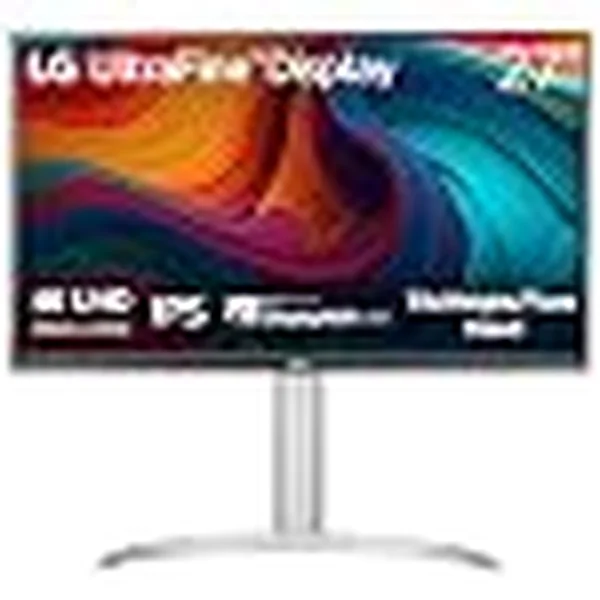
LG 27UP650K-W 27-inch Ultrafine 4K UHD
Most people still working on a 1080p monitor in 2026 have never seen what 4K looks like on a 27-inch IPS panel at close range. The jump is not subtle.
Text is sharper. Spreadsheets with hundreds of rows become easier to read. Photos look closer to how they’ll actually print. Side-by-side document work stops feeling cramped. The screen just gets out of your way and lets you work.
The LG 27UP650K-W is not the most expensive 4K monitor you can buy. It is the one that delivers genuine 4K IPS quality at a price that is actually reasonable for a home office setup.
Quick Specs
| Spec | Detail |
|---|---|
| Panel | 27-inch IPS |
| Resolution | 4K UHD, 3840×2160 |
| Refresh Rate | 60Hz |
| Response Time | 5ms (GtG) |
| Color Gamut | 95% DCI-P3, 10-bit color depth, 1.07 billion colors |
| HDR | VESA DisplayHDR 400 |
| Peak Brightness | 400 nits |
| Connectivity | 2x HDMI 2.0, 1x DisplayPort 1.4, 3.5mm headphone jack |
| Stand | Height, Tilt, Pivot adjustable, VESA 100mm compatible |
| Eye Care | Reader Mode, Flicker Safe |
| Gaming Extras | Black Stabilizer, AMD FreeSync |
| USB Hub | Not included |
| Built-in Speakers | Not included |
| Design | 3-side virtually borderless, white finish |
| Price | ~$240–$280 on Amazon |
Who Should Buy This
If you spend most of your workday in documents, spreadsheets, browser tabs, and design tools, the LG 27UP650K-W is one of the best value-for-money monitors you can put on a home office desk in 2026.
The 95% DCI-P3 color coverage is exceptional at this price point. Photographers doing client proofing and graphic designers reviewing color-accurate work will notice the difference compared to budget monitors with sRGB-only coverage. Reviewers consistently note that color accuracy out of the box is solid, without requiring significant calibration.
The ergonomic stand supports full height adjustment, tilt, and pivot. This matters for anyone sitting at a desk for six-plus hours a day. Being able to raise, lower, and angle the monitor precisely is not a luxury, it is a posture and comfort essential that cheaper monitors often skip.
Reader Mode reduces the blue light output and warms the display temperature. After a long workday, this is the setting that makes the difference between eyes that feel strained and eyes that feel fine.
The white design is rare in monitors and looks excellent in a modern home office setup. If your desk aesthetic is clean and minimal, this monitor fits it.
Who Should NOT Buy This
Competitive gamers should stop here. The 60Hz refresh rate is a real limitation for fast-paced gaming. If your primary use is gaming and secondarily work, look at a 144Hz or higher gaming monitor with IPS or OLED panel.
MacBook users who want a clean one-cable desk setup will run into a problem: this monitor has no USB-C port. You cannot run a single Thunderbolt cable from your MacBook Air to this monitor for power and display. You will need the Anker hub covered later in this guide to bridge that gap.
There are no built-in speakers. If you want sound from your monitor, you will need external speakers or you’ll be relying on your laptop speakers or earbuds.
The lack of a USB hub at the monitor means no extra ports at arm’s reach. If you’re constantly plugging and unplugging USB devices at your desk, this will become a daily annoyance.
Why It Wins in 2026
The combination of 95% DCI-P3 color, 10-bit panel, full ergonomic stand adjustability, and VESA DisplayHDR 400 support at under $280 is genuinely difficult to match at this price. Most monitors in this range cut corners on either color accuracy or stand ergonomics. This one doesn’t.
Reader Mode and Flicker Safe are implemented well, not just feature-listed and forgotten. The difference in eye comfort after a long workday is something regular users notice quickly.
One honest limitation: No USB-C input means MacBook Air users will need an external hub to connect cleanly. The Anker 341 hub later in this guide solves this directly.
5. Best Wi-Fi Upgrade in 2026: TP-Link Deco BE65-Outdoor (Wi-Fi 7)
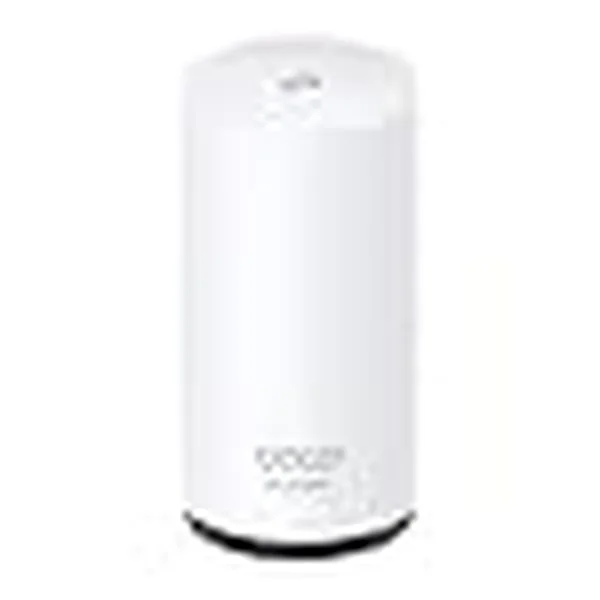
TP-Link Deco 7 Outdoor BE65 BE11000 Tri-Band Wi-Fi 7 Mesh Extender
If your Wi-Fi drops every time you step onto the back porch, or if your home office sits in a corner of the house where the signal barely reaches, you already know this problem. You’ve restarted the router. You’ve moved it closer. You’ve bought a Wi-Fi extender that made things slightly worse.
The real fix is a mesh network built on Wi-Fi 7. And the TP-Link Deco BE65-Outdoor is the product that extends that fix all the way outside your four walls.
Quick Specs
| Spec | Detail |
|---|---|
| Wi-Fi Standard | Wi-Fi 7, BE11000 (802.11be) |
| Frequency Bands | Tri-band: 2.4GHz + 5GHz + 6GHz |
| Maximum Combined Speed | Up to 11,000 Mbps |
| Coverage Per Unit | Up to 3,000 sq ft |
| Ports | 2x 2.5Gbps PoE+ |
| Processor | 1.5GHz Quad-Core |
| Weather Protection | IP65, dust and water resistant |
| Backhaul | Wireless MLO or Wired PoE Ethernet |
| Security | HomeShield, IoT protection, intrusion prevention, DDoS protection |
| Smart Features | AI-Roaming, MLO (Multi-Link Operation) |
| Setup | TP-Link Deco app, account required |
| Ecosystem | Compatible with all Deco mesh products |
| Price | ~$300 per unit |
Who Should Buy This
This product is for homeowners who want Wi-Fi coverage that genuinely extends beyond the inside of their home, and does so at Wi-Fi 7 speeds.
If you have a home office in a detached garage, a basement workshop, a backyard studio, or a patio where you regularly work or take calls, this is the product that fills that coverage gap without compromise. The IP65 rating means it handles rain, humidity, sprinklers, and temperature changes that would damage an indoor router placed in a covered outdoor spot.
PoE+ support is a particularly useful feature. It means you can power and connect this unit using a single Ethernet cable run from inside your home. No outdoor power outlet required. For a clean permanent installation, this is the right way to do it.
The MLO feature, Multi-Link Operation, is specific to Wi-Fi 7 and meaningfully reduces latency by allowing the router to transmit across multiple frequency bands simultaneously. For video calls, game streaming, or any real-time application, this matters.
The Deco ecosystem compatibility is a genuine convenience. If you already have any Deco routers inside your home, the BE65-Outdoor integrates with them seamlessly. One network, one app, one set of settings.
Who Should NOT Buy This
Renters and apartment dwellers do not need this product. You cannot install it properly in a rented space, and the outdoor coverage use case does not apply to most apartment situations. Standard indoor mesh options serve apartment needs far better at lower cost.
If you just need reliable indoor home Wi-Fi coverage, the standard indoor Deco BE65 or the Deco BE63 are more straightforward options at a lower price point.
Privacy-focused users should know that setup requires a TP-Link cloud account. There is no local-only browser-based configuration option for Deco products. If you prefer keeping your network management entirely local, this is a real limitation to consider.
The maximum wired port speed is 2.5Gbps. If you have a multi-gig internet plan and need 10Gbps wired throughput, you’ll need to look at higher-tier products.
Why It Wins in 2026
For homeowners with outdoor coverage needs, there are very few products that deliver genuine Wi-Fi 7 speeds with IP65 weather protection and PoE+ support in one unit. Most competitors either lack the weather protection, the Wi-Fi 7 tri-band capability, or the Ethernet power flexibility.
AI-Roaming automatically steers connected devices to the fastest available band and node. In practical terms, this means your phone or laptop connects to the best signal automatically as you move between inside and outside, without any manual configuration.
One honest limitation: Setup requires a TP-Link account and must be done through the Deco app. There is no web browser setup option, which some network-savvy users will find restrictive.
6. Best Budget Tech Gadget to Buy in 2026: Anker 341 USB-C Hub (7-in-1)
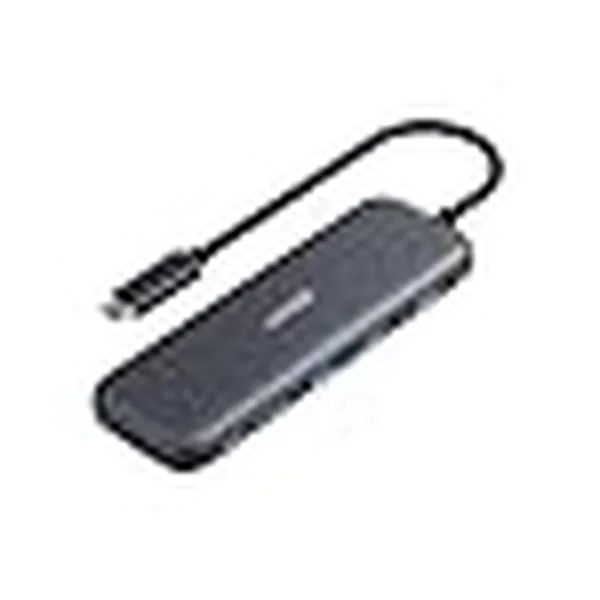
Anker USB C Hub
The MacBook Air has two ports. Your desk needs seven. This $35 piece of equipment solves that problem in about ten seconds.
There is a certain kind of frustration that comes from buying a great laptop and then realizing it cannot connect to your monitor, your mouse, your external drive, and your phone charger at the same time. That frustration is not a laptop problem. It is a ports problem. And ports problems have a simple fix.
The Anker 341 USB-C Hub (model A8346) is the most practical single purchase on this entire list for anyone using a modern laptop with USB-C ports.
Quick Specs
| Spec | Detail |
|---|---|
| Total Ports | 7 |
| USB-A Ports | 2x USB-A 3.0 data ports |
| USB-C Ports | 1x USB-C Power Delivery (up to 100W pass-through) + 1x USB-C data port |
| Display Output | 1x 4K HDMI |
| Card Readers | 1x SD card slot + 1x microSD card slot |
| Power Delivery | Up to 100W pass-through (approximately 85W net after hub’s own draw) |
| Power Source | Bus-powered, no separate power adapter needed |
| Compatibility | MacBook Air, MacBook Pro, iPad Pro, most Windows laptops with USB-C |
| Warranty | 18 months (Anker standard) |
| Price | ~$35 |
Who Should Buy This
Anyone who owns a MacBook Air M4 and the LG monitor covered above needs this hub. Without it, there is no clean way to connect the monitor, charge the MacBook, and use peripherals simultaneously. With it, you plug one USB-C cable into your MacBook and get: power delivery, 4K HDMI to your monitor, two USB-A ports for devices, and SD card slots, all at once.
Photographers and content creators who regularly transfer files from SD cards will find this hub immediately useful. Instead of carrying a separate SD card reader, the hub handles it alongside everything else.
Travelers who carry a laptop and want a single small accessory that handles all their desk connections will appreciate the compact form factor. The Anker 341 is pocketable and requires no external power.
Budget-conscious buyers will find that at approximately $35, the impact-per-dollar here is higher than any other product on this list. You are directly solving a real daily friction point for the price of a dinner out.
Who Should NOT Buy This
If you need Ethernet connectivity at your desk, a wired internet connection for maximum stability, this hub does not have an Ethernet port. Look at the Anker 555 or the Anker 565 7-in-1 models, which include Ethernet.
Users who need Thunderbolt speeds for external SSDs or Thunderbolt displays should note that this hub uses USB 3.0 speeds, not Thunderbolt 3 or 4. File transfer speeds will be limited to USB 3.0 throughput.
If you need to connect two external monitors simultaneously, this hub supports only one HDMI output. A more capable dock will be needed for dual-monitor setups.
Why It Wins in 2026
At $35, the Anker 341 is the most cost-efficient product recommendation we make in this guide. Anker has built a genuinely strong reliability reputation over years and across thousands of verified product reviews. The 341 model specifically is one of their most reviewed hub products.
The 100W pass-through charging is the feature that makes this hub genuinely useful rather than just convenient. You can charge your MacBook Air at full speed, run a 4K external monitor, and use two USB devices and both card readers, all from one hub, connected by one USB-C cable to your laptop.
One honest limitation: No Ethernet port. If wired internet is important to your setup, upgrade to an Anker hub model that includes it.
Building the Best Home Office Tech Setup in 2026
Here is something most “best tech” lists miss entirely: individual products are only part of the answer. The real value comes from how these products work together as a system.
The six products in this guide were not chosen randomly. They were chosen because they solve the six most common friction points in a modern home office, and they connect to each other logically.
How These 6 Products Form One Complete Setup
The MacBook Air M4 is your core machine. It handles processing, creativity, and communication. It is silent on calls, light enough to carry anywhere, and powerful enough for the vast majority of professional work.
The LG 27UP650K-W is your second screen. It adds a 27-inch 4K panel to your desk that the MacBook’s 13.6-inch display cannot match for extended work sessions. Side-by-side documents, reference windows, spreadsheets with hundreds of rows, the monitor gives you the space to work without constantly switching between windows.
The Anker 341 USB-C Hub is the connector between the two. The MacBook Air has two USB-C ports. The LG monitor does not have USB-C input. Without the hub, you cannot create a clean desk setup. With the hub, one USB-C cable runs from your MacBook to the hub, and from there to your monitor, your charger, and any peripherals.
The Sony WF-1000XM6 is your focus tool. When you need to do deep work, writing, analysis, design, coding, ANC earbuds eliminate ambient noise in a way that headphones and silence-seeking cannot. The QN3e chip in the XM6 is the best ANC available in earbud form in 2026.
The Apple Watch Series 10 keeps you connected and health-aware when you step away from your desk. A remote work life requires deliberate movement breaks. Having your health data visible on your wrist, activity rings, heart rate, workout tracking, is the nudge that turns desk time into a more balanced workday.
The TP-Link Deco BE65-Outdoor is the network foundation. Every one of the above products depends on a reliable, fast internet connection. If your router struggles to reach your home office, or if your Wi-Fi drops when you work outside, the productivity cost adds up daily. Wi-Fi 7 with tri-band mesh coverage solves the foundation problem that makes everything else work properly.
The Total Investment
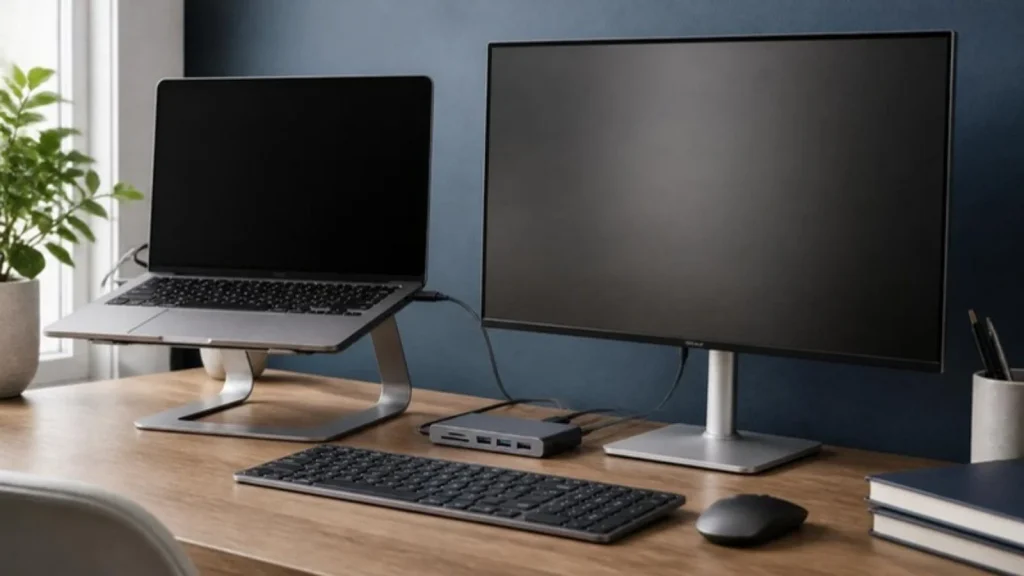
At current Amazon pricing, this complete six-product home office setup costs approximately $2,100 to $2,200 depending on configuration choices for the MacBook Air.
You do not need to buy all six at once. The most logical starting point is the MacBook Air M4 and the Anker hub, these two together immediately give you a capable, portable work machine with expanded connectivity. The LG monitor and Sony earbuds are the next logical additions. The Apple Watch and TP-Link router are longer-term upgrades.
What Remote Professionals Actually Need in 2026
The five things that genuinely make a home office better in 2026 are: fast stable internet, a second screen with enough resolution to reduce eye strain, a laptop with real all-day battery life, ANC earbuds for focus and calls, and health tracking that encourages movement.
These six products address all five. That is not a coincidence, it is the point of this guide.
Best Tech Gifts to Buy in 2026
If you’re buying for someone else, these six products are some of the most universally appreciated tech gifts at every price level.
Under $50, Anker 341 USB-C Hub (~$35): This is the gift that solves a problem the recipient probably complains about but hasn’t fixed yet. Anyone with a modern laptop will use this immediately. It requires no setup, no subscription, and no learning curve.
Under $150, This price tier isn’t covered in our six picks, but if you’re in this range, look at our separate guide to best budget tech accessories.
Under $300, LG 27UP650K-W (~$250): For a home office professional or student who has never owned a dedicated external monitor, this is a life-changing gift. The jump from a laptop screen to a 4K 27-inch display is dramatic. This is the gift that meaningfully changes how someone works every day.
Under $330, Sony WF-1000XM6 ($329.99): The most universally useful premium gift on this list. It works with Android and iOS. It solves a problem that almost everyone who works from home or commutes has. And it is the kind of purchase that people put off buying for themselves, which makes it the perfect gift.
$399 and up, Apple Watch Series 10: For iPhone users who don’t already own an Apple Watch, this is the gift that adds genuine health value to their daily life. The Sleep Apnea detection alone makes it one of the more meaningful tech purchases an iPhone user can receive.
$1,099 and up, Apple MacBook Air M4: When the budget is there, this is the laptop gift that works for almost everyone. Students, professionals, creators, the MacBook Air M4 is the answer when someone asks “what laptop should I get?”
All 6 Best Tech Products 2026, Side-by-Side Comparison
| Product | Category | Best For | Price Range | Our Score |
|---|---|---|---|---|
| Apple MacBook Air M4 (2025) | Laptop | Remote work, creators, students | $1,099+ | 9.5/10 |
| Sony WF-1000XM6 | Earbuds | Focus work, calls, commuting | $329.99 | 9/10 |
| Apple Watch Series 10 Cellular | Smartwatch | iPhone users, health tracking | $399+ | 8.5/10 |
| LG 27UP650K-W | Monitor | Home office, photo/video work | ~$250 | 9/10 |
| TP-Link Deco BE65-Outdoor | Wi-Fi 7 Mesh | Outdoor + whole-home coverage | ~$300 | 8.5/10 |
| Anker 341 USB-C Hub (7-in-1) | Accessory | MacBook users, desk setups | ~$35 | 9.5/10 |
If you’re buying for someone else, these six products are some of the most universally appreciated tech gifts at every price level.
Under $50, Anker 341 USB-C Hub (~$35): This is the gift that solves a problem the recipient probably complains about but hasn’t fixed yet. Anyone with a modern laptop will use this immediately. It requires no setup, no subscription, and no learning curve.
Under $150, This price tier isn’t covered in our six picks, but if you’re in this range, look at our separate guide to best budget tech accessories.
Under $300, LG 27UP650K-W (~$250): For a home office professional or student who has never owned a dedicated external monitor, this is a life-changing gift. The jump from a laptop screen to a 4K 27-inch display is dramatic. This is the gift that meaningfully changes how someone works every day.
Under $330, Sony WF-1000XM6 ($329.99): The most universally useful premium gift on this list. It works with Android and iOS. It solves a problem that almost everyone who works from home or commutes has. And it is the kind of purchase that people put off buying for themselves, which makes it the perfect gift.
$399 and up, Apple Watch Series 10: For iPhone users who don’t already own an Apple Watch, this is the gift that adds genuine health value to their daily life. The Sleep Apnea detection alone makes it one of the more meaningful tech purchases an iPhone user can receive.
$1,099 and up, Apple MacBook Air M4: When the budget is there, this is the laptop gift that works for almost everyone. Students, professionals, creators, the MacBook Air M4 is the answer when someone asks “what laptop should I get?”
Which of These 6 Tech Products Should You Buy First?
Here is the honest answer, matched to three types of people.
If you work from home and want the highest-impact upgrade possible: Start with the MacBook Air M4 + Anker Hub + LG Monitor. This three-piece combination transforms a laptop into a full home office workstation. The total investment is approximately $1,385 to $1,430 at current prices, and the daily quality-of-life improvement is significant.
If you want one product that makes your daily life better immediately: Buy the Sony WF-1000XM6 if you’re on frequent calls or need focus time in a shared space. Buy the Apple Watch Series 10 if you’re an iPhone user who wants health insights and phone-free connectivity. Both are products you will use every single day.
If your budget is under $50 right now: Buy the Anker 341 USB-C Hub. At approximately $35, it is the most impactful purchase on this list relative to its cost. If you use a MacBook or any modern USB-C laptop, this solves a real problem immediately, and it connects every other product on this list to your setup when you’re ready to expand.
All prices listed are approximate and based on current Amazon pricing at time of writing. Prices may vary. Always check the product listing for the most current price before purchasing.
You Should Also Read These Related Articles:
- Best Budget Monitors Under $150 (2026): Affordable Displays for Work, Gaming & Home Office
- How to Choose the Right Tech Product (2026 Guide, Don’t Waste Your Money)
- Home Office Tech Setup Guide: Step by Step Blueprint for Remote Professionals & Freelancers (2026)
- Best WIFI 6 Routers Under $100 (2026): Top Budget Picks for Home, Gaming & Work
- Buying Guide for Laptops: 10 Things to Consider Before Buying a Laptop
The Bottom Line on the Best Tech Products to Buy in 2026
Buying tech in 2026 should not feel like gambling.
There are too many options, too many vague reviews, and too many lists that tell you what’s popular without telling you what’s actually right for your situation.
That is what this guide tried to fix. Six products. Six real use cases. Honest about what each one does well, and equally honest about where each one falls short.
The MacBook Air M4 gives you the best all-day laptop experience most people will ever need.
The Sony WF-1000XM6 gives you the focus and call quality that turns a noisy home into a productive one.
The Apple Watch Series 10 gives iPhone users a health tool worth wearing every single day.
The LG 27UP650K-W gives your eyes the screen space they deserve without asking you to overspend.
The TP-Link Deco BE65-Outdoor gives your home a network that actually reaches everywhere you work.
And the Anker 341 hub, for $35, quietly makes all of it connect. You do not need all six today.
But you now know exactly which one to buy first, who each product is built for, and what to expect when it arrives. That clarity is the whole point.
Frequently Asked Questions, Best Tech Products 2026
Frequently asked questions
What is the best tech product to buy in 2026?
The best tech product to buy in 2026 depends entirely on what you already have and what problem you’re solving. For most people, the Apple MacBook Air M4 is the single best all-around purchase, it is the best laptop for daily work in 2026. If you already have a capable laptop, the Sony WF-1000XM6 earbuds or the LG 27-inch 4K monitor will have the highest daily impact on your productivity.
What is the best laptop to buy in 2026?
For most people, the Apple MacBook Air M4 (13-inch, 2025) is the best laptop to buy in 2026. It offers up to 18 hours of battery life (Apple-rated), a fanless design that runs silently, a 12MP Center Stage webcam for video calls, and the M4 chip which handles most professional workloads without performance throttling. It starts at $1,099.
Are Sony WF-1000XM6 earbuds worth the price in 2026?
Yes, for specific buyers. The Sony WF-1000XM6 are worth $329.99 if you spend significant time on video calls, if you commute in loud environments, or if you use earbuds for deep focus work and want the best available ANC in earbud form. If your primary use is casual music listening, there are excellent earbuds available at $100 to $150 that will serve you better for the price.
What is the best home office monitor to buy in 2026?
The LG 27UP650K-W is one of the best value-for-money home office monitors available in 2026. It delivers 4K UHD resolution, 95% DCI-P3 color accuracy, a fully adjustable ergonomic stand, and VESA DisplayHDR 400 support at approximately $240 to $280. The main limitation is the absence of USB-C input, which MacBook users will need to address with an external hub.
What home office tech setup should I build in 2026?
A strong home office setup in 2026 starts with a capable laptop (MacBook Air M4 or equivalent), an external 4K monitor for screen real estate (LG 27UP650K-W), a USB-C hub to connect them cleanly (Anker 341), and ANC earbuds for focus and calls (Sony WF-1000XM6). A stable Wi-Fi 7 mesh network (TP-Link Deco) completes the foundation. Together, these address every major friction point in a remote work environment.
Is the Apple Watch Series 10 worth buying in 2026?
worth buying for iPhone users who want health monitoring features, particularly the FDA-cleared Sleep Apnea detection, ECG capability, and the ability to make calls and stream music without a phone via the cellular model. It is not recommended for Android users (incompatible), anyone wanting multi-day battery life, or budget-conscious buyers who can get the core Apple Watch experience on the SE model for $249.
What is the best budget tech gadget to buy in 2026?
in-1, model A8346) is the best budget tech gadget to buy in 2026. At approximately $35, it adds 4K HDMI output, 100W pass-through charging, two USB-A 3.0 ports, a USB-C data port, and SD plus microSD card slots to any laptop with a USB-C connection. The impact-per-dollar is higher than any other product in this price range for laptop users.
Found This Helpful? Here’s What to Do Next
If this guide saved you time, cleared up confusion, or helped you make a smarter buying decision, share it with someone who needs it.
Send it to a colleague setting up their home office, a friend who keeps asking “what laptop should I get,” or anyone tired of reading tech lists that never actually answer the question. One share takes ten seconds and genuinely helps someone make a better purchase.
If you want guides like this delivered directly to your inbox, new buying guides, honest reviews, price drop alerts, and home office upgrade tips, subscribe to our free email newsletter and you will never have to go hunting for reliable tech advice again.
And if you have used any of the products on this list, disagree with a recommendation, or want us to cover a product we missed, drop a comment below.
We read every single one, and the best future guides are built from exactly those conversations.