
Topic guide · 14 guides
Laptops and Tech for Working From Home
Choosing a work laptop, using one desk for a work and a personal computer, and the specs that matter.

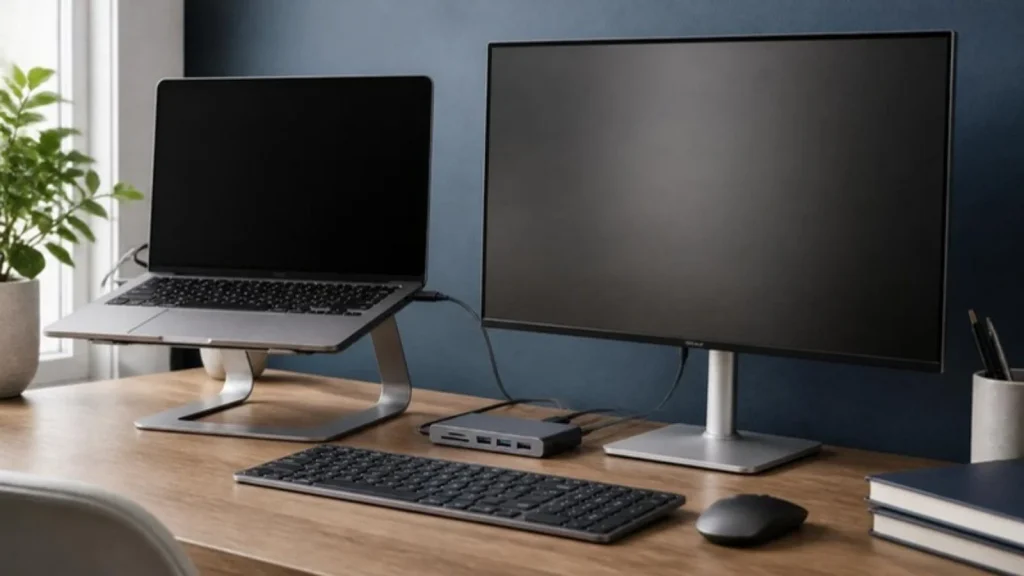
What a work laptop needs
Memory for many tabs and apps (16 GB), an SSD, a decent webcam and mic for calls, and a USB-C port that charges the laptop and drives a monitor through one cable. Raw processor speed matters less than most people think for email, documents and video calls.
Laptop or desktop
A laptop plus a monitor, keyboard and mouse gives a proper desk setup and something to carry. A desktop makes sense for heavy creative or data work at a fixed desk, and needs a UPS to survive power cuts.
Two computers, one desk
A KVM switch moves your monitor, keyboard and mouse between a work laptop and a personal computer with one button. Match the ports (HDMI, DisplayPort or USB-C), choose a dual-monitor KVM if you have two screens, and ask IT before plugging a work laptop into new hardware.
All guides in this topic
- Best Budget Laptops Under $600 in 2026: Top Picks for Work, School & Everyday Use
- Is MacBook Neo Worth It in 2026? Honest Answer Before You Buy
- Apple 2024 MacBook Pro with M4 Pro Review – Is This the Ultimate Laptop?
- MacBook Neo vs MacBook Air: Which Apple Laptop Should You Buy?
- Apple MacBook Neo: Price, Specs, Colors, Release Date & Everything You Need to Know
- What Is RAM in a Computer? A Complete Beginner-Friendly Guide
- How to Optimize Your PC for Better Performance and Longevity
- Buying Guide for Laptops: 10 Things to Consider Before Buying a Laptop
- How to Build a PC: The Ultimate Guide to PC Building
- Apple 2025 MacBook Air 13-inch M4 Review: The Best Air Yet?
- 10 Best Rated Laptops Under $300 in 2025 – Top Picks for You
- The Best Chromebooks to Buy in 2024: Affordable, Powerful, and Perfect for You
Related tools and guides
Get the Home Office Setup Checklist
Every step and measurement on one printable page.
FAQ
Mac or Windows?
Whatever your employer supports and your tools run on. Both handle office work and calls well.
Is refurbished safe?
Manufacturer or retailer certified refurbished with a warranty and return window can be good value. Avoid sellers with no warranty.
Can I deduct a laptop?
W-2 employees cannot deduct unreimbursed work equipment on their federal return. self-employed people may; ask a tax professional.
Sources
- ENERGY STAR, computer specifications
- the Internal Revenue Service (IRS), unreimbursed employee expenses (Tax Cuts and Jobs Act and the One Big Beautiful Bill Act)
This guide is general information, not medical advice.