
When Apple unveiled the 2025 MacBook Air 13 inch with the M4 chip, the buzz was immediate.
People wanted to know, is this just another shiny refresh, or a real step forward?
On paper, it sounds almost too good: lightning-fast performance, up to 18 hours of battery life, Apple Intelligence built in, and a design so light you might forget it’s in your bag.
But specs only tell part of the story. What really matters is how it performs in day-to-day life, whether you’re a student, a creative professional, or just someone who wants a reliable laptop for work and play.
Part of Laptops and Tech for Working From HomeIs the M4 MacBook Air good enough for work?
Yes for everyday work and light photo and video editing: it has 16 GB of base memory and up to 18 hours of rated battery, about 15 hours in independent tests. Sustained 4K video editing can hit its thermal limits.
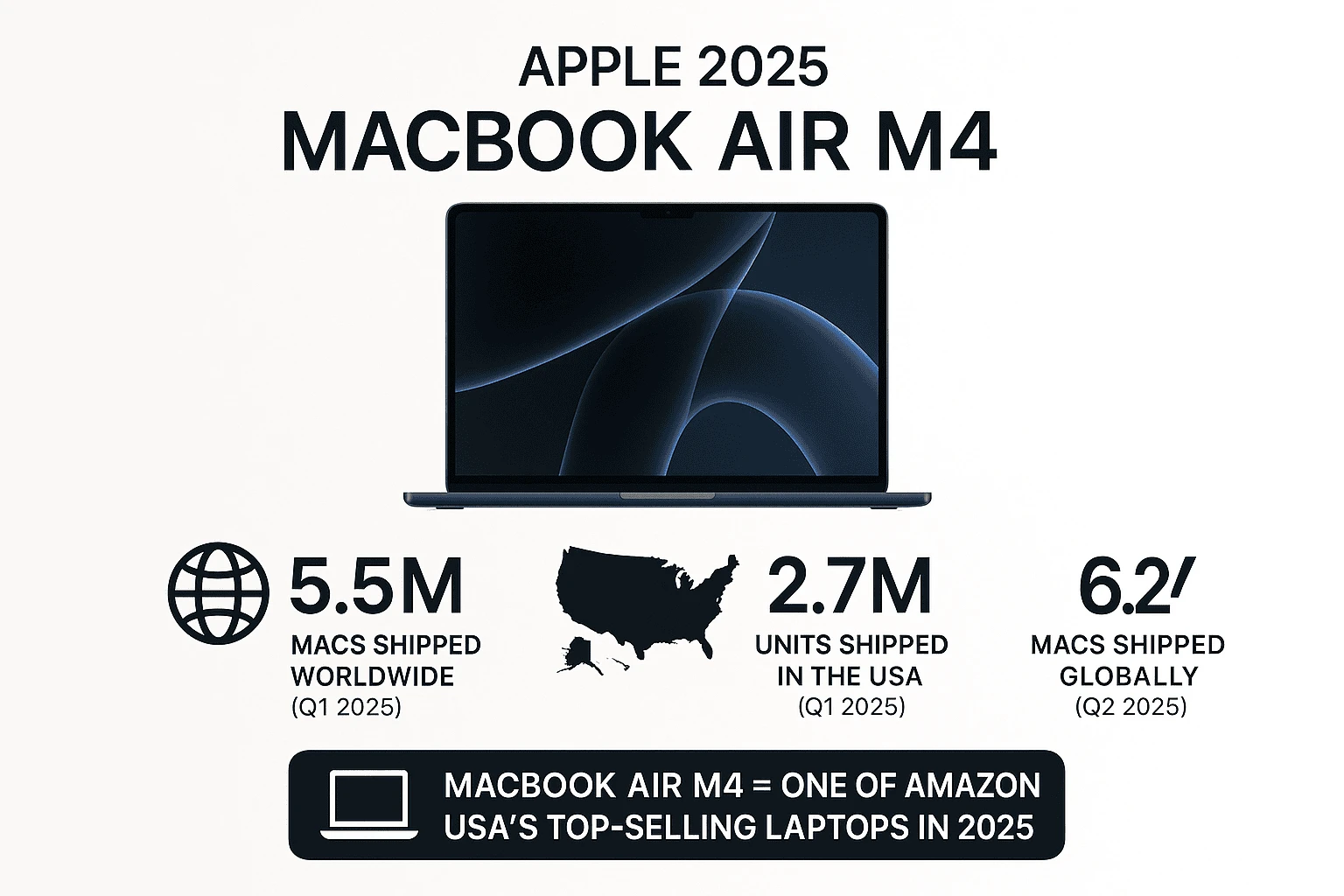
The Apple 2025 MacBook Air 13 inch with M4 chip isn’t just another laptop launch, it’s already shaping sales charts.In Q1 2025 alone, Apple shipped 5.5 million Macs worldwide, with 2.7 million units shipped in the U.S., a significant jump from 2.1 million during the same period in 2024 (MacRumors).By Q2 2025, shipments climbed further to 6.2 million units globally, underscoring growing consumer demand.While Apple doesn’t release exact sales by model, the MacBook Air M4 has quickly risen to one of the top-selling laptops on the manufacturer’s product page, which clearly signals its popularity among everyday users, students, and professionals.
In this Apple 2025 MacBook Air 13 inch M4 review, we’ll break down the experience, the pros and cons, and help you decide if this is the MacBook to buy in 2025.
This review is part of our Tech Product Reviews, where we publish honest, research-driven evaluations to help users understand real-world performance before buying.
What’s New & What Apple Promises
The 2025 Apple MacBook Air 13-inch with M4 chip isn’t just a minor refresh, it’s Apple’s attempt to redefine what an “everyday Mac” can do.
At its core is the M4 chip, delivering a redesigned CPU and GPU architecture with faster performance and 120GB/s memory bandwidth, making multitasking smoother and graphics work more fluid than ever.
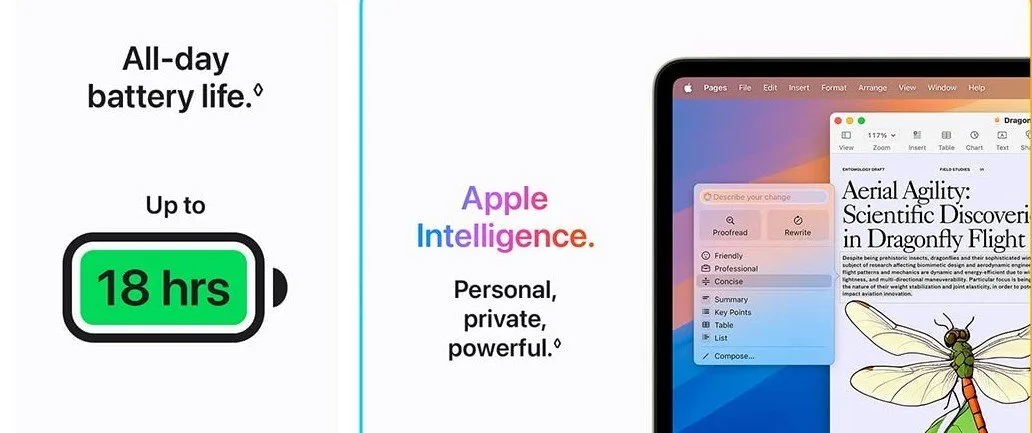
Apple is also pushing hard on Apple Intelligence (AI), which is now built directly into macOS, meaning features like smart writing assistance, email summarization, and even AI-powered image editing are part of the everyday workflow.
In a bold move, Apple has eliminated the 8GB base memory option, every 2025 Air now starts at 16GB random access memory (RAM), a future-proof shift that ensures better performance for professionals, students, and creators alike.
The design remains sleek, thin, and fanless, with MagSafe charging returning for convenience.
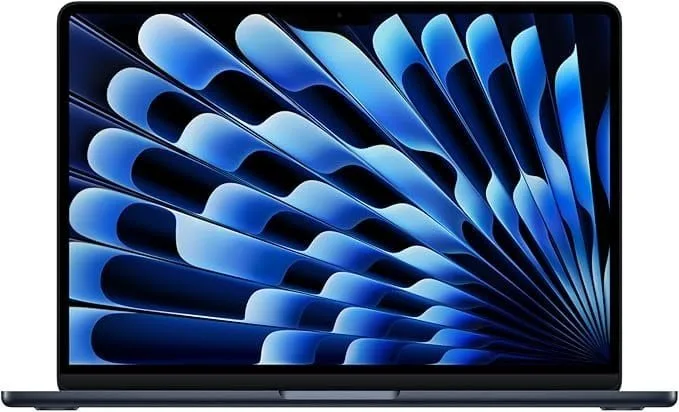
Alongside classic finishes, Apple has introduced Midnight and Sky Blue as standout color options.
Battery life is another highlight, with Apple promising up to 18 hours on a single charge, a claim that, if true in real-world use, makes it a serious travel companion.
Connectivity hasn’t been neglected either: you get two Thunderbolt 4 ports, a 3.5mm headphone jack, and support for up to two external displays.
Altogether, Apple promises a laptop that feels light and portable but doesn’t compromise on power, intelligence, or versatility.
Real-World Performance & Benchmarks
- Everyday Use: In tasks like browsing, working on documents, and streaming, the MacBook Air M4 feels fast, smooth, and highly responsive.
- Battery Life: Tom’s Guide measured about 15 hours of real-world web usage, close to Apple’s 18-hour claim.
- Multitasking & Creative Work: Handles multitasking and light video/photo editing effortlessly. Heavy workloads like prolonged 4K video editing or complex rendering may hit thermal limits.
- Design Perspective: Ars Technica says the Air’s design remains familiar but calls the M4 chip a solid improvement over M2 and M3.
- Key Upgrades: WIRED praised the doubled base memory (16 GB), brighter display, and sharper webcam, making this version more appealing for students, professionals, and everyday creators.
Pros & Highlights
- Excellent Battery Life: Easily lasts a full workday and beyond, with real-world usage often pushing close to 15 to 18 hours on a single charge. Perfect for students, professionals, and travelers who don’t want to stay plugged in.
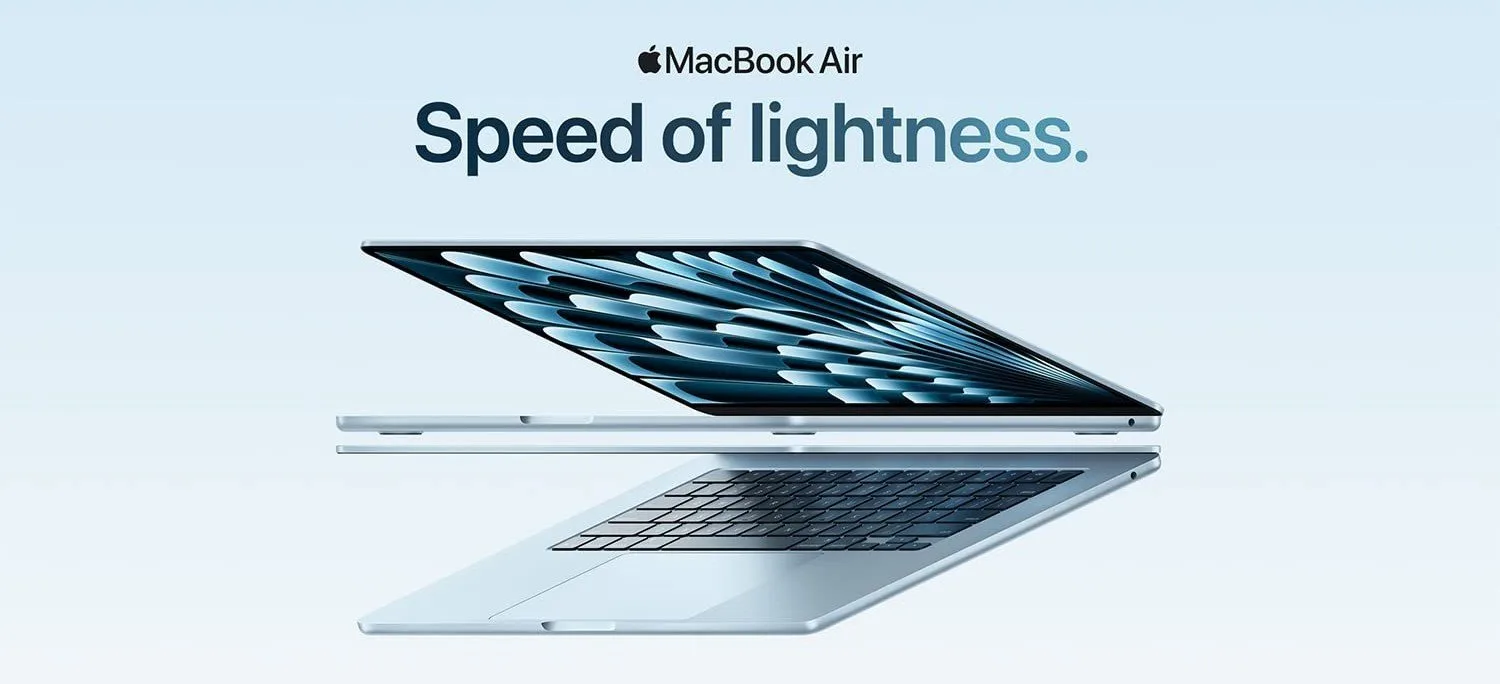
- Ultra-Portable Design: At just 2.7 pounds, the MacBook Air M4 is thin, light, and easy to carry, making it an ideal choice for those constantly on the go.
- Upgraded Webcam with Center Stage: The 12MP camera paired with Center Stage keeps you in focus during video calls, making it a big win for remote work, online classes, and content creators.
- Better Value for Performance: Apple finally addressed user concerns by bumping the base model to 16GB RAM while keeping the starting price competitive compared to previous generations.
- Silent & Fanless: No distracting fan noise, even under moderate multitasking or creative workloads. A big plus if you value a quiet work environment.
- External Display Support: Unlike older Air models, the 2025 version supports up to two external displays, giving users more flexibility for productivity and creative workflows.
: 🚀 Upgrade Your Tech Game Today!
The Apple 2025 MacBook Air 13-inch (M4) is built for speed, power, and portability, making it the perfect laptop for students, professionals, and creators who want performance without compromise. With thousands of users already switching this year, now is the best time to experience the future of Mac.
Drawbacks & What You Might Miss
- Limited Ports: With only two Thunderbolt 4 / USB-C ports plus a headphone jack, you’ll likely need a hub or dongle for SD cards, USB-A devices, or HDMI connections.
- No Active Cooling: The fanless design keeps it silent, but under sustained heavy workloads like 4K video editing or 3D rendering, thermal throttling can kick in.
- Non-Upgradable Hardware: Like most modern MacBooks, RAM and solid-state drive (SSD) are soldered in. What you buy is what you’re stuck with, choose wisely upfront.
- Standard 60Hz Display: While the Retina panel looks fantastic, the lack of a higher refresh rate may disappoint gamers or power users spoiled by ProMotion on iPad Pro and MacBook Pro.
- Same Familiar Design: The shell hasn’t changed much, still thin and elegant, but the notch remains divisive and some users may find it dated.
- Expensive Upgrades: The base model is reasonable, but stepping up to larger SSDs or more GPU cores quickly raises the price, making it harder to justify for casual users.
Who This Is For

| Persona | Fit for them? | Notes |
|---|---|---|
| Students / Writers | ✅ Great | Lightweight, long battery, excellent for docs, web, light apps |
| Professionals (Office/Productivity) | ✅ Very good | Handles spreadsheets, coding, multitasking well |
| Creators / Photo editors | ✅ Good | For moderate work; heavy video editing may push its thermal limits |
| Gamers | ⚠️ Limited | Plays many macOS-optimized games, but many big PC titles lack support |
| Power users | ❌ Not ideal | Those needing many ports, heavy rendering, or upgrade paths may prefer MacBook Pro |
If you’re still deciding which MacBook model best fits your needs, our Tech Buying Guides explain key differences, features, and real-world considerations to help you choose confidently.
Compare Apple Mac Laptops
 |  | |  | |
| DEVICE | Apple MacBook Air with Apple M3 Chip (13.6-inch) | Apple MacBook Pro with Apple M4 Pro Chip or Apple M4 Max Chip (14-inch) | Apple MacBook Pro with Apple M4 Chip (14-inch) | Apple MacBook Air with Apple M3 Chip (15-inch) |
| PRICE | $897.00 | $1,798.85 | $1,399.00 | $1,078.38 |
| RATINGS | 4.8 out of 5 stars | 4.8 out of 5 stars | 4.8 out of 5 stars | 4.8 out of 5 stars |
| DISPLAY | 13.6-inch Liquid Retina display | 14.2-inch Liquid Retina XDR display | 14.2-inch Liquid Retina XDR display | 15.3-inch Liquid Retina display |
| PROCESSOR | Apple M3 Chip | Apple M4 Pro or Apple M4 Max chip | Apple M4 Chip | Apple M3 Chip |
| APPLE INTELLIGENCE |  | | | |
| CPU | 10-core CPU | Up to 16-core CPU | 10-core CPU | 10-core CPU |
| GPU | Up to 10-core GPU | Up to 40-core GPU | 10-core GPU | 10-core GPU |
| MEMORY | Up to 24GB unified memory | 24GB to 128GB unified memory | 16GB to 32GB unified memory | Up to 24GB unified memory |
| BATTERY | Up to 18 hours battery life | Up to 22 hrs battery life | Up to 24 hours battery life | Up to 18 hours battery life |
| TOUCH BAR AND TOUCH ID | Touch ID | Touch ID | Touch ID | Touch ID |
| STORAGE | Up to 2TB storage | Up to 8TB storage | Up to 2TB storage | Up to 2TB storage |
| LAUNCH YEAR | 2025 | 2024 | 2024 | 2025 |
Tips & Setup Advice
- Expand your ports with a USB-C hub or dock: Since the M4 Air only has two Thunderbolt 4 ports, investing in a good hub gives you access to SD card slots, HDMI, USB-A, and more.
- Stick with the 16 GB memory (base) or higher: Apple finally made 16 GB the starting point, which is much more future-proof. If your budget allows, consider more storage upfront, since upgrades aren’t user-replaceable.
- Keep macOS updated: Apple Intelligence is built into macOS and will continue to get smarter. Regular updates mean better performance, enhanced AI tools, and security improvements.
- Use an elevated stand for cooling during heavy tasks: While the fanless design is silent, it can throttle under prolonged loads. A stand improves airflow and keeps performance steadier.
- Leverage Apple’s continuity features with iPhone: With iPhone Mirroring, Universal Clipboard, and Messages on Mac, your workflow becomes seamless. Copy on your phone, paste on your laptop, or answer calls from your Mac without missing a beat.
Technical Details
| Chip | Apple M4 chip10-core CPU with 4 performance cores and 6 efficiency cores8-core GPUHardware-accelerated ray tracing16-core Neural Engine120GB/s memory bandwidthMedia EngineHardware-accelerated H.264, HEVC, ProRes, and ProRes RAWVideo decode engineVideo encode engineProRes encode and decode engineAV1 decode |
| Apple Intelligence | Apple Intelligence is the personal intelligence system that helps you write, express yourself, and get things done effortlessly. With groundbreaking privacy protections, it gives you peace of mind that no one else can access your data, not even Apple. |
| Display | Liquid Retina display13.6-inch (diagonal) LED-backlit display with IPS technology; 2560-by-1664 native resolution at 224 pixels per inch500 nits brightnessColorSupport for 1 billion colorsWide color (P3)True Tone technology |
| Battery and Power | Up to 18 hours video streamingUp to 15 hours wireless webBuilt-in 53.8-watt-hour lithium-polymer battery30W USB-C Power Adapter (included with M4 with 8-core GPU)35W Dual USB-C Port Compact Power Adapter (included with M4 with 10-core GPU; configurable with M4 with 8-core GPU)USB-C to MagSafe 3 CableFast-charge capable with 70W USB-C Power Adapter |
| Charging and Expansion | MagSafe 3 charging port3.5 mm headphone jackTwo Thunderbolt 4 (USB-C) ports with support for:ChargingDisplayPortThunderbolt 4 (up to 40Gb/s)USB 4 (up to 40Gb/s) |
| Display Support | Simultaneously supports full native resolution on the built-in display at 1 billion colors and:Up to two external displays with up to 6K resolution at 60HzThunderbolt 4 digital video outputSupport for native DisplayPort 1.4 output over USB-C |
| Video Playback | Supported formats include HEVC, H.264, AV1, and ProResHDR with Dolby Vision, HDR10+/HDR10, and HLG |
| Audio Playback | Supported formats include AAC, MP3, Apple Lossless, FLAC, Dolby Digital, Dolby Digital Plus, and Dolby Atmos |
| Keyboard and Trackpad | Backlit Magic Keyboard with:78 (U.S.) or 79 (ISO) keys including 12 full-height function keys and 4 arrow keys in an inverted-T arrangementTouch IDAmbient light sensorForce Touch trackpad for precise cursor control and pressure-sensing capabilities; enables Force clicks, accelerators, pressure-sensitive drawing, and Multi-Touch gestures |
| Camera | 12MP Center Stage camera with support for Desk View1080p HD video recordingAdvanced image signal processor with computational video |
| Audio | Four-speaker sound systemSupport for Spatial Audio when playing music or video with Dolby Atmos on built-in speakersSpatial Audio with dynamic head tracking when using supported models of AirPods, AirPods Pro, and AirPods MaxThree-mic array with directional beamformingVoice Isolation and Wide Spectrum microphone modesEnhanced voice clarity in audio and video calls3.5 mm headphone jack with advanced support for high-impedance headphones |
Also Read These Articles:
Apple 2024 MacBook Pro Review to M4 Pro, 16.2″ Display & More
Best Portable Monitors for Laptops: Top Picks & Reviews
HP 14 Laptop Review: Affordable & Lightweight for Students
10 Best Budget Monitors Under $150 For Work & Gaming
Acer Predator Triton Neo 16 Review: Great Gaming Laptop
Final Verdict & Recommendation on Apple 2025 Macbook Air 13 Inch M4 Review
The Apple 2025 MacBook Air 13-inch with M4 chip strikes an impressive balance of performance, battery life, portability, and value.
For the majority of users, students, remote professionals, casual creators, and anyone who needs a fast, reliable everyday laptop, this is arguably the best MacBook Air Apple has ever released.
With the M4 chip, 16 GB of base memory, and Apple Intelligence built into macOS, it feels future-ready. Add in the silent fanless design, improved webcam, excellent battery life (up to 18 hours), and support for external displays, and it’s clear Apple listened to what everyday users wanted most.
Of course, power users running intensive rendering, heavy video editing, or those who need multiple ports may be better served by the MacBook Pro line. But for everyone else, this Air delivers exceptional value at its price point.
With 10K+ units sold in the U.S. last month alone and maintaining an outstanding 4.8 out of 5 stars rating, the MacBook Air M4 isn’t just a hype machine, it’s a proven winner.
Our recommendation: Buy it with confidence. Whether for school, work, or travel, the 2025 MacBook Air M4 is a laptop that won’t let you down.
Don’t wait, grab yours now and enjoy Apple’s most powerful Air yet!
the manufacturer’s product page
If this review helped you understand whether the M4 MacBook Air is right for you, I’d love to hear your thoughts! Share with others, drop your questions in the comments. And do not forget to subscribe our email newsletter!