Finding the best budget monitors under $150 can be surprisingly difficult. Many cheap monitors compromise on display quality, refresh rate, or build design, which can make them frustrating for everyday use. However, several affordable displays now offer excellent performance for home office work, casual gaming, and general productivity without stretching your budget.
In this guide, we researched and compared the best cheap monitors under $150 based on display quality, panel type, refresh rate, connectivity, and overall value.
Whether you need a budget monitor for work, gaming, or a home office setup, this list will help you choose the right display that delivers reliable performance without overspending.
This article is part of our Deals & Comparisons, where we help readers compare tech products by price, features, and real-world value to find the best options available in the USA.
Quick Answer: Best Budget Monitors Under $150
The best budget monitors under $150 include models like the Acer SB220Q, AOC 24B2XH, Samsung CF396, and several other affordable displays that offer excellent value.
Most monitors in this price range feature Full HD (1080p) resolution, IPS or VA panels, and refresh rates between 75Hz and 144Hz, making them ideal for everyday productivity, home office setups, and casual gaming.
If you want the best experience under this budget, look for a 24-inch monitor with an IPS panel and at least a 75Hz refresh rate, which provides better color accuracy, wider viewing angles, and smoother performance compared to standard 60Hz displays.
Quick Comparison: Best Budget Monitors Under $150
| Monitor | Screen Size | Panel Type | Resolution | Refresh Rate | Best For |
|---|---|---|---|---|---|
| Acer SB220Q | 21.5-inch | IPS | 1920 × 1080 | 75Hz | Home office & productivity |
| AOC 24B2XH | 23.8-inch | IPS | 1920 × 1080 | 75Hz | Office work & media |
| Samsung CF396 | 24-inch | VA Curved | 1920 × 1080 | 60Hz | Immersive viewing |
| Philips 221V8LB | 22-inch | VA | 1920 × 1080 | 100Hz | Budget everyday use |
| ViewSonic VA2447 | 24-inch | IPS | 1920 × 1080 | 75Hz | Productivity |
| ASUS VA24EHE | 23.8-inch | IPS | 1920 × 1080 | 75Hz | Office & casual gaming |
What to Expect From the Best Budget Monitors Under $150
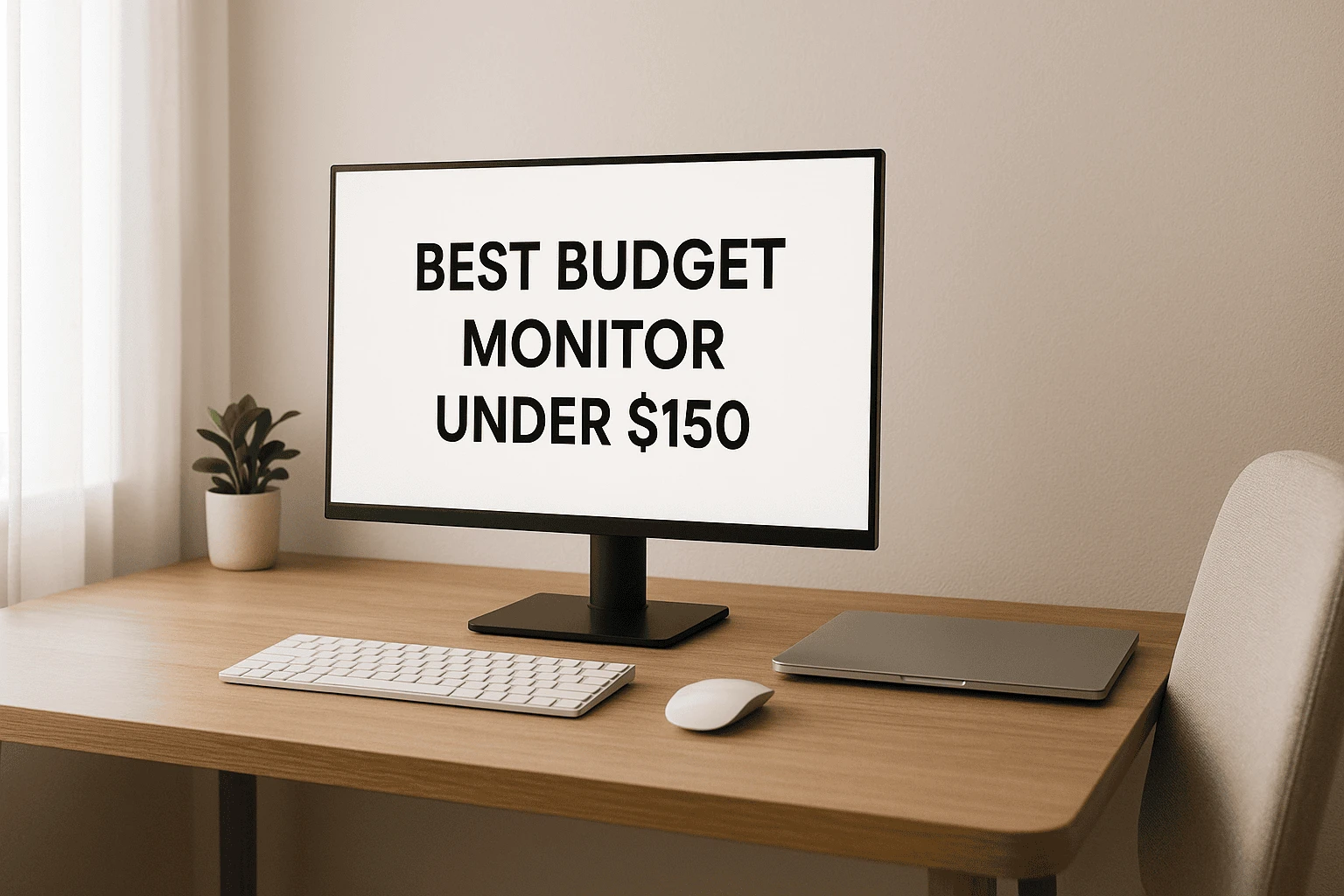
Let me be straight with you — when you’re looking at the best budget monitors under $150, the goal isn’t to find something perfect. It’s about knowing what you’re getting for the price and choosing a monitor that fits your daily needs without feeling disappointed later. I’d rather set realistic expectations now than have you regret the purchase after a few days of use.
In this price range, most budget monitors under $150 come with Full HD (1080p) resolution, and honestly, that’s not a bad thing. For screen sizes around 22 to 24 inches, 1080p still looks sharp enough for work, studying, browsing, and watching videos. You might see listings for cheap 4K monitors, but true 4K displays under $150 usually involve heavy compromises. For everyday use, a good 1080p monitor will serve you much better.
When it comes to screen quality, you should expect decent color accuracy, especially if you choose a monitor with an IPS panel, which I personally recommend for most people. IPS displays give you better viewing angles and more natural colors, making them great for home office setups, students, and anyone spending long hours in front of the screen. VA panels can offer better contrast, but they’re not always the best choice for fast response or text clarity.
Refresh rate is another area where expectations matter. Most budget computer monitors run at 60Hz, and some stretch to 75Hz, which feels a bit smoother when scrolling or doing light gaming. If you’re searching for a budget gaming monitor under $150, a 75Hz screen can be a nice bonus, but it’s important to know that higher refresh rates like 144Hz are rare at this price. For casual gaming, though, 60–75Hz is usually good enough.
You’ll also notice that many cheap monitors on Amazon mention HDR support. I want to be honest here — HDR on budget-friendly monitors is usually limited. You might see a slight improvement in contrast, but it won’t look like HDR on a high-end display. It’s a nice extra, not a deciding factor.
Overall, budget-friendly monitors under $150 are best for work-from-home setups, online classes, everyday computing, and casual gaming. If you focus on reliable brands, stick with IPS panels, and don’t chase unrealistic features, you can find a budget monitor that feels like good value for the money and does exactly what you need it to do.
How to Choose the Best Budget Monitor Under $150
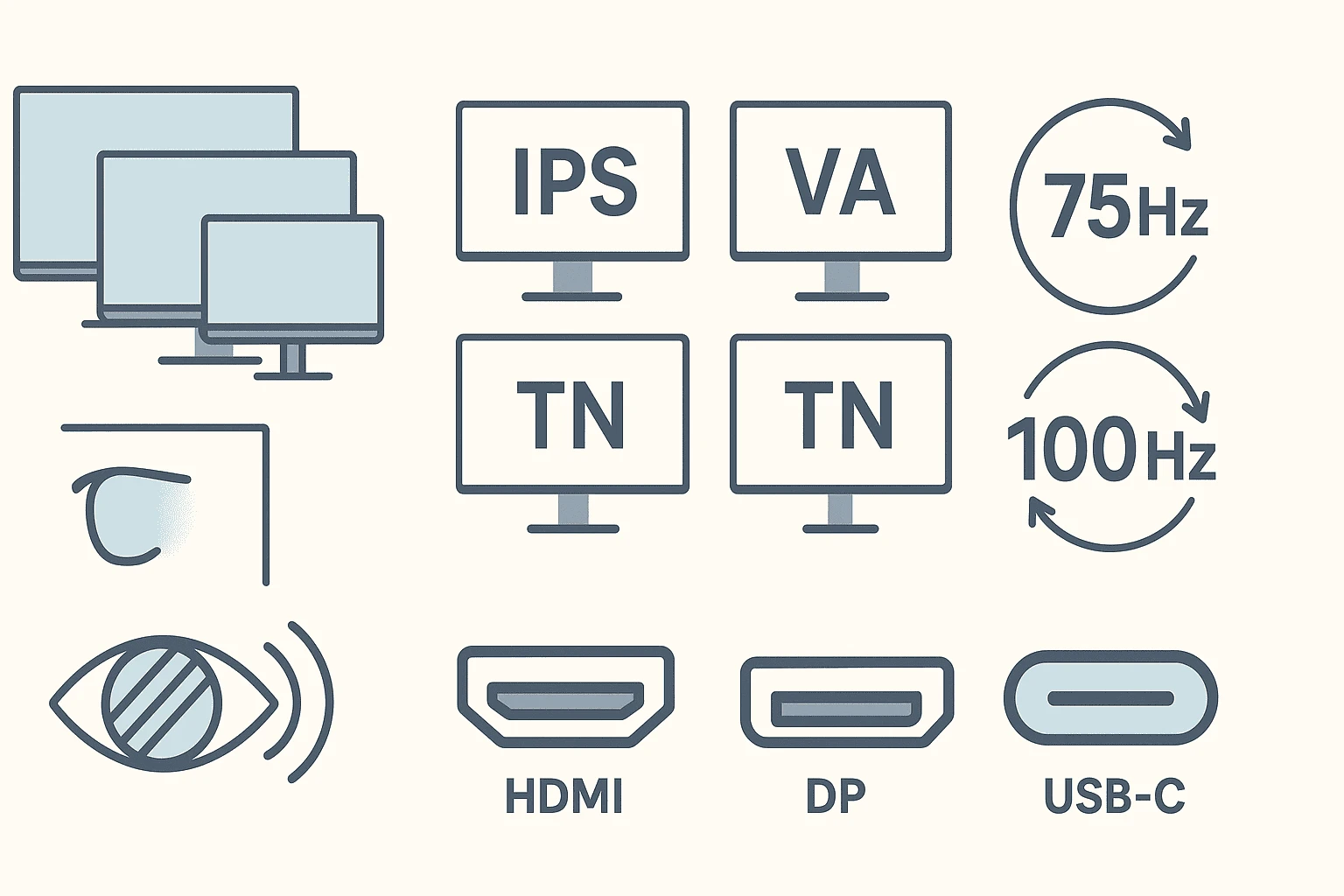
Choosing the best budget monitor under $150 isn’t about chasing the longest feature list — it’s about understanding what actually makes a difference for how you use your screen every day.
I’ve seen many people overspend on features they don’t need or buy the wrong monitor simply because the specs looked impressive on paper.
Let me walk you through the key things that really matter when picking a budget-friendly monitor in this price range.
Panel Type: IPS vs VA vs TN (What Really Matters)
Panel type plays a bigger role than most people realize, especially with budget monitors.
If you’re buying a monitor under $150, I generally recommend choosing an IPS panel whenever possible. IPS monitors offer better color accuracy and wider viewing angles, which makes them ideal for work, studying, browsing, and even casual content creation. For most users looking for budget-friendly computer monitors, IPS provides the most balanced experience.
VA panels can offer better contrast, which helps when watching movies or working in darker rooms, but they sometimes feel a bit slower when it comes to response time. TN panels are usually the cheapest option, but they compromise heavily on color quality and viewing angles, so I rarely recommend them unless the price difference is significant.
If you want a monitor that feels comfortable for long hours, IPS is usually the safest choice in the best budget monitors under $150 category.
Resolution & Screen Size: Don’t Chase Numbers
Most budget monitors under $150 come with Full HD (1080p) resolution, and honestly, that’s perfectly fine for everyday use. At screen sizes between 22 and 24 inches, 1080p still delivers clear text and sharp visuals for work, streaming, and general use.
You might come across listings for cheap 4K monitors, but true 4K displays at this price almost always come with major compromises. For most people, a good-quality 1080p screen will look better and perform more reliably than a poorly implemented higher-resolution panel.
If your desk space is limited and you sit close to the screen, a 22-inch monitor works well. If you want a bit more room for multitasking, 24 inches is usually the sweet spot among budget-friendly monitors.
Refresh Rate & Response Time: Keep Expectations Realistic
When shopping for budget gaming monitors or general-purpose displays, refresh rate often causes confusion.
Most budget computer monitors run at 60Hz, while some offer 75Hz, which can feel slightly smoother when scrolling or doing light gaming. If you’re looking for the best budget gaming monitor under $150, a 75Hz display is a nice bonus — but it’s not a deal-breaker.
Higher refresh rates like 144Hz are uncommon at this price point, and that’s okay. For casual gaming, daily work, and entertainment, 60–75Hz is more than usable, especially when paired with a decent panel.
Response time also matters, but at this budget, it’s best not to obsess over small differences. Focus on overall balance rather than chasing perfect specs.
Work vs Gaming: Choose Based on How You Actually Use It
Before buying, it helps to be honest about how you’ll use the monitor most of the time.
If your priority is work, studying, or long screen sessions, focus on:
- IPS panel
- Comfortable screen size
- Good text clarity
- Eye comfort features if available
If you want a budget gaming monitor under $150, then:
- A slightly higher refresh rate (like 75Hz) helps
- Response time matters more than resolution
- Don’t expect competitive gaming performance — but casual gaming works fine
Many budget-friendly monitors today can handle both work and light gaming reasonably well, as long as you don’t expect premium-level performance.
Why $150 Is a Practical Budget for Most People
I’ve learned that $150 is a practical and realistic budget for most everyday monitor needs. At this price, you can get a reliable Full HD display with decent color accuracy and solid build quality. Spending more does give you better features, but for many users, the improvement isn’t always noticeable in daily use.
If your work involves basic productivity, online classes, streaming, or casual gaming, a well-chosen budget monitor under $150 will do the job without making you feel like you settled for less. The key is choosing wisely — not simply spending more.
If you want to better understand how to evaluate tech products before buying, our Tech Buying Guides cover essential features, specifications, and real-world considerations to help you make informed decisions across different devices.
10 The Best Budget Monitors Under $150 – Full Reviews & Human Insights
After understanding what to expect and how to choose the right monitor, it’s time to look at the best budget monitors under $150 that actually make sense for everyday use.
I’ve selected these picks based on real-world usability, balanced performance, and overall value — so you can quickly compare them and decide which one fits your work, gaming, or daily setup best.
| Monitor | Size | Panel | Refresh Rate | Ideal For |
| Philips 221V8LB | 22″ | VA | 100Hz | Home office clarity |
| Dell SE2425HM | 24″ | IPS | 100Hz | Long work hours |
| Sceptre E225 | 22″ | LED | 75Hz | Students & daily use |
| Sceptre E24 | 24″ | LED | 75Hz | Balanced home setups |
| Dell SE272 | 27″ | IPS | 75Hz | Big-screen productivity |
| Samsung Essential S3 | 27″ | VA Curved | 100Hz | Immersive experience |
| MNN 15.6″ Portable | 15.6″ | IPS | 60Hz | Travel & dual-screen |
| Sceptre 27″ FW100T | 27″ | IPS | 100Hz | Budget gaming |
| Samsung S22F350 | 22″ | IPS | 60Hz | Compact workspaces |
| Philips 241V8 | 24″ | IPS | 75Hz | Everyday productivity |
Now let’s walk through each monitor — not with specs thrown at you, but with real-world context:
what it feels like to use each one, who it’s right for, and whether it’s worth your money.
1. Philips 221V8LB 22-Inch Full HD Monitor (100Hz) – The Everyday Monitor That Just Makes Life Easier

- CRISP CLARITY: This 22 inch class (21.5″ viewable) Philips V line monitor delivers crisp Full HD 1920×1080 visuals. Enjo…
- 100HZ FAST REFRESH RATE: 100Hz brings your favorite movies and video games to life. Stream, binge, and play effortlessly
- SMOOTH ACTION WITH ADAPTIVE-SYNC: Adaptive-Sync technology ensures fluid action sequences and rapid response time. Every…
If you’re looking for a budget-friendly monitor under $150 that feels smooth, reliable, and well-balanced for everyday use, the Philips 221V8LB is a solid place to start. I like this monitor because it doesn’t try to oversell flashy features — instead, it focuses on delivering a smooth viewing experience for work, casual gaming, and daily computing.
With a 22-inch Full HD (1080p) display, this monitor offers sharp text clarity and comfortable screen space for most desks. What really stands out at this price is the 100Hz refresh rate, which makes scrolling, animations, and light gaming noticeably smoother than standard 60Hz displays. Combined with Adaptive-Sync support, it helps reduce screen tearing and stuttering, making it a good option for anyone considering a budget gaming monitor under $150.
The VA panel delivers strong contrast with deeper blacks, which works well for watching videos or working in dimmer rooms. Viewing angles are wide enough for everyday use, and features like LowBlue Mode and flicker-free technology make it easier on the eyes during long sessions. Add to that Philips’ 4-year advance replacement warranty, and this monitor offers long-term peace of mind that’s rare in this price range.
Best for:
Home office users, students, and casual gamers who want a smooth, reliable budget computer monitor without overspending.
Pros
- Smooth 100Hz refresh rate (excellent for the price)
- Full HD resolution with sharp clarity at 22 inches
- Strong contrast thanks to VA panel
- Adaptive-Sync support for smoother visuals
- Eye-care features (LowBlue Mode, flicker-free)
- Excellent 4-year warranty
- Trusted brand with strong customer ratings
Cons
Not ideal for competitive or fast-paced gaming
VA panel colors aren’t as accurate as IPS for creative work
Glossy screen may reflect light in bright rooms
Only one HDMI port (limited connectivity)
2. Dell SE2425HM 24-Inch Full HD IPS Monitor (100Hz) – The Most Comfortable Monitor for Work
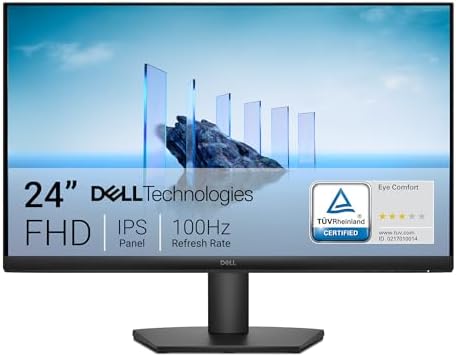
- An improved viewing experience: Experience a high 100Hz refresh rate across your work with a TÜV Rheinland 3-star* certi…
- High refresh rate: 100Hz refresh rate delivers less flicker, more seamless scrolling and smoother motion.
- ComfortView Plus: Minimizes harmful blue light exposure without sacrificing color accuracy with Dell’s always on, built-…
If you want a budget-friendly monitor under $150 that focuses on comfort, color accuracy, and long-term reliability, the Dell SE2425HM is an excellent option. This is the kind of monitor I’d recommend to someone who spends hours working, studying, or browsing and wants a screen that feels easy on the eyes without sacrificing smooth performance.
The 23.8-inch Full HD (1080p) display hits a great balance between screen space and clarity, especially for productivity tasks. What really makes this monitor stand out in the best budget monitors under $150 category is the combination of an IPS panel and a 100Hz refresh rate. You get better color consistency and viewing angles than VA panels, along with smoother scrolling and animations compared to standard 60Hz displays.
Dell’s ComfortView Plus technology is another highlight here. It reduces harmful blue light without distorting colors, which makes a noticeable difference during long work sessions. The matte anti-glare screen also helps control reflections, making this monitor easier to use in brighter rooms. While it’s not designed for competitive gaming, it does support Adaptive Sync, which helps deliver smoother visuals for casual gaming.
Overall, this Dell monitor is best seen as a budget computer monitor built for comfort, reliability, and everyday performance — especially if your main focus is work or study with occasional entertainment.
Best for:
Home office users, students, and professionals who want a comfortable, reliable budget-friendly monitor with good color accuracy and smooth performance.
Pros
- IPS panel with accurate colors and wide viewing angles
- Smooth 100Hz refresh rate (great for work and daily use)
- Excellent eye-care features (ComfortView Plus, TÜV certified)
- Matte anti-glare screen reduces reflections
- Trusted Dell build quality and strong customer ratings
- VESA mount support for flexible setups
Cons
1-year warranty is shorter than some competitors
Response time is slower than gaming-focused monitors
Only one HDMI port (limited connectivity)
Not ideal for competitive or fast-paced gaming
3. Sceptre E225W-19203S 22-Inch Full HD Monitor (75Hz) – Perfect for Students and Small Spaces
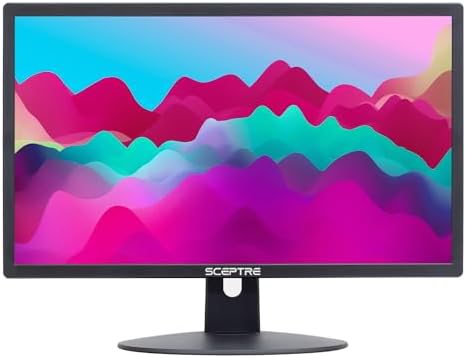
- High refresh rate up to 75Hz
- 2 HDMI, 1 VGA, Audio out jack
- Build in speakers
If you’re looking for a budget monitor under $150 that keeps things simple and affordable, the Sceptre E225W-19203S is a practical option. This monitor is designed for users who want a straightforward Full HD display for everyday tasks like browsing, office work, online classes, and light gaming — without paying extra for features they may not need.
The 22-inch Full HD (1080p) screen delivers clear visuals and readable text for daily use. While it doesn’t offer the higher refresh rates found on some newer models, the 75Hz refresh rate still provides a slightly smoother experience than standard 60Hz displays, especially for scrolling and casual gaming. It also supports Adaptive Sync, which helps reduce screen tearing during light gameplay.
One of the standout features of this monitor is its built-in speakers, which can be useful for video calls, online meetings, or casual media consumption when desk space is limited. Connectivity is also a strong point here, with two HDMI ports and one VGA port, making it easy to connect multiple devices like a PC, laptop, or gaming console.
That said, this monitor is clearly built with affordability in mind. The LED panel delivers decent image quality for the price, but it doesn’t match the color accuracy or viewing angles of IPS-based budget-friendly monitors. Still, for users who want a reliable and low-cost budget computer monitor, it offers good value.
Best for:
Students, home users, and budget-conscious buyers who want a simple cheap monitor under $150 with built-in speakers and multiple ports.
Pros
- Affordable price point within the budget monitor category
- Full HD (1080p) resolution at 22 inches
- 75Hz refresh rate for smoother visuals than 60Hz
- Built-in speakers for basic audio needs
- Multiple ports (2 HDMI + VGA)
- Lightweight and easy to set up
Cons
1-year warranty is fairly standard
LED panel doesn’t offer the color accuracy of IPS displays
Glossy screen can reflect light in bright rooms
Average contrast and viewing angles
Not ideal for color-sensitive work or serious gaming
4. Sceptre E248W-19203R 24-Inch Full HD Monitor – The Balanced Display for Everyday Home Use

- 99% sRGB: With 99% sRGB, this monitor offers a wider color gamut than most conventional monitors, giving deeper colors a…
- Multiple Ports: Two HDMI ports and one VGA port provide up to 100HZ refresh rate, refining picture clarity in all action…
- Built in Speakers: Perfectly suited to work & gaming settings, built-in speakers deliver robust & smooth audio while sav…
If you want a budget-friendly monitor under $150 with a larger screen and better color performance, the Sceptre E248W-19203R is a very appealing option. This monitor is especially popular among users who want a spacious display for work, streaming, and casual gaming without moving into a higher price range.
The 24-inch Full HD (1080p) panel provides plenty of screen real estate for multitasking, and the 99% sRGB color coverage is a standout feature in this category. Colors look richer and more defined compared to many standard LED monitors, making this a solid choice for everyday productivity, media consumption, and light creative work. While it uses an LED panel rather than IPS, the viewing angles are still quite usable for most setups.
This monitor also includes built-in speakers, which are handy for basic audio needs like video calls or watching videos without external speakers. However, like most monitor speakers, the audio output is fairly limited and may lack depth or clear dialogue when watching movies or streaming content. If you want a noticeable audio upgrade for your desk setup, you may consider pairing your monitor with any one of the best budget soundbars, which can dramatically improve sound clarity and bass without taking up much space. Connectivity is flexible, with two HDMI ports and one VGA port, making it easy to connect multiple devices such as a PC, laptop, or gaming console. Although it’s marketed with gaming modes and fast response time, this monitor is best suited for casual gaming rather than competitive play.
Overall, this Sceptre model offers a strong balance of size, color quality, and affordability, making it one of the more versatile budget monitors under $150 currently available.
Best for:
Users who want a 24-inch budget monitor with better color coverage for work, streaming, and everyday use.
Pros
- Large 24-inch Full HD display
- 99% sRGB color coverage (excellent for the price)
- Built-in speakers for basic audio
- Multiple ports (2 HDMI + VGA)
- Very high customer ratings and popularity
- VESA mount support
Cons
1-year warranty is fairly basic
LED panel doesn’t match IPS color consistency
Glossy screen may reflect light in bright rooms
Refresh rate is closer to standard levels for gaming
5. Dell S2425HS 24-Inch Full HD IPS Monitor (100Hz) – Big Screen, Big Comfort, Small Price

- Modern, lifestyle-inspired design with ultrathin bezels let you enjoy the stunning screen with less distraction.
- Enjoy impressive audio with the integrated dual 5W speakers with a wide dynamic range. Easy options of 5 preset and 1 cu…
- Experience consistent vibrant colors across a wide viewing angle enabled by In-plane switching technology with 99% sRGB …
If you want a budget-friendly monitor under $150 that feels refined, comfortable, and well-built, the Dell S2425HS is an excellent choice. This is the kind of monitor I’d recommend to someone who works long hours at a desk and wants something that looks good, sounds good, and stays comfortable throughout the day.
The 23.8-inch Full HD (1080p) display uses an IPS panel with 99% sRGB color coverage, so colors look consistent and natural from different viewing angles. Combined with a 100Hz refresh rate, everyday tasks like scrolling, switching windows, and casual gaming feel noticeably smoother than on standard 60Hz monitors. It’s not meant for competitive gaming, but it’s more than capable for light gaming and general entertainment.
One feature that really sets this monitor apart in the best budget monitors under $150 category is its ergonomic flexibility. You can adjust the height, tilt, swivel, and even pivot the screen, which makes a big difference if you spend long hours working or studying. The integrated dual 5W speakers are also surprisingly good for a monitor, making them useful for video calls, streaming, or casual listening without external speakers.
Dell’s ComfortView Plus technology and TÜV Rheinland 4-Star eye comfort certification help reduce eye strain without washing out colors. Add Dell’s clean design and solid build quality, and this monitor feels like a step above many other budget computer monitors in the same price range.
Best for:
Home office users, professionals, and students who want a comfortable, adjustable budget monitor under $150 with good color accuracy and built-in speakers.
Pros
- IPS panel with 99% sRGB color coverage
- Smooth 100Hz refresh rate
- Excellent ergonomics (height, tilt, swivel, pivot)
- High-quality built-in speakers (2×5W)
- Strong eye-care features (TÜV 4-Star, ComfortView Plus)
- Clean design and reliable Dell build quality
Cons
1-year warranty is standard, not extended
Response time isn’t ideal for competitive gaming
Limited to Full HD resolution
6. Samsung Essential S3 27-Inch Curved Full HD Monitor – The Budget Monitor That Feels Premium

- CURVED FOR ENHANCED ENGAGEMENT: An immersive viewing experience with a curved monitor that wraps more closely around you…
- SMOOTH PERFORMANCE FOR SEAMLESS CONTENT: Stay in the action when playing games, watching videos, or working on creative …
- MORE GAMING POWER: Gain the edge with optimizable game settings; Color and image contrast can be adjusted to see scenes …
If you want a budget monitor under $150 that feels immersive and spacious, the Samsung Essential S3 is a strong option to consider. This monitor stands out mainly because of its 27-inch curved screen, which creates a more engaging viewing experience compared to flat displays — especially for movies, casual gaming, and multitasking.
The Full HD (1080p) resolution paired with a 100Hz refresh rate delivers smooth motion for everyday tasks like browsing, streaming, and light gaming. While 1080p on a 27-inch screen isn’t the sharpest option for close-up work, many users prefer the larger screen size for productivity and entertainment. The 1800R curve helps keep the edges of the screen within your field of view, which can feel more comfortable during longer sessions.
This monitor also offers a high contrast ratio (3000:1), making blacks look deeper and improving overall image depth — a nice advantage for watching videos or gaming in darker environments. Samsung’s Advanced Eye Comfort technology, certified by TÜV, helps reduce eye strain by limiting blue light and minimizing flicker, which is useful if you spend hours in front of the screen.
Overall, this Samsung monitor is best suited for users who want a large, curved, budget-friendly monitor under $150 for entertainment, casual gaming, and general use rather than precision color work.
Best for:
Users who want a 27-inch curved budget monitor for immersive viewing, streaming, and casual gaming.
Pros
- Large 27-inch curved display enhances immersion
- Smooth 100Hz refresh rate for everyday use
- Strong 3000:1 contrast ratio
- TÜV-certified eye comfort features
- Trusted Samsung build quality
- Good value for screen size in the budget monitor category
Cons
Basic stand with limited ergonomic adjustments
1080p resolution isn’t very sharp at 27 inches
Limited port selection (HDMI + D-sub only)
Not ideal for color-critical or professional editing
7. MNN 15.6-Inch Portable Full HD Monitor (USB-C & HDMI) – Work Anywhere, Anytime

- Full HD Portable Monitor – MNN 15.6inch portable laptop monitor with 1920*1080 resolution, advanced IPS matte screen sup…
- Double Type-C Port -For Plug & Play, the MNN monitor provides 2 Full Feature Type-C ports. Only One USB Type-C Cable is …
- Lightweight Ultra Slim for Travel – As a portable external monitor,MNN portable laptop monitor easily accommodate to eve…
If you need a budget-friendly monitor under $150 that you can carry anywhere, the MNN 15.6-inch portable monitor is one of the best options available. This monitor is designed for people who work on the go, travel frequently, or simply want a second screen to boost productivity without setting up a full desktop monitor.
The 15.6-inch Full HD (1080p) display uses an IPS panel with wide viewing angles and a matte finish, which helps reduce glare during long work sessions. Text looks sharp, colors are vibrant for everyday use, and the screen is comfortable to look at for extended periods. While it supports HDR, the real strength of this monitor is its clarity and portability rather than cinematic visuals.
What makes this monitor especially convenient is its plug-and-play connectivity. With USB-C and HDMI support, it works with laptops, PCs, phones, gaming consoles, and even devices like the PS5, Xbox, and Nintendo Switch. The lightweight, ultra-slim design makes it easy to slip into a backpack, and the included smart cover doubles as a stand, allowing both landscape and portrait use.
This monitor isn’t meant to replace a full-size display, but as a portable external monitor, it’s extremely practical for remote work, presentations, travel setups, and casual gaming on the go.
Best for:
Remote workers, students, travelers, and anyone who wants a portable budget monitor as a second screen for laptops or mobile devices.
Pros
- Lightweight and ultra-slim — easy to travel with
- Sharp 15.6-inch Full HD IPS display
- Simple USB-C plug-and-play setup
- Works with laptops, phones, consoles, and PCs
- Includes a smart cover that doubles as a stand
- Excellent popularity and user reviews
Cons
Requires compatible USB-C devices for single-cable use
Smaller screen compared to desktop monitors
HDR support is limited in real-world use
Built-in speakers are basic
8. Sceptre E275W-FW100T 27-Inch Full HD Gaming Monitor – The Best Budget Gaming Monitor Under $150

- 100% sRGB Color Gamut: With 100% sRGB, our display reveals an astonishing brightness and variance in red, green, and blu…
- DP & HDMI Ports: Two HDMI ports and one DisplayPort port provide up to 100Hz refresh rate, refining picture clarity in a…
- Blue Light Shift: Blue Light Shift reduces blue light, allowing you to comfortably work, watch, or play applications wit…
If you’re looking for a budget gaming monitor under $150 with a large screen and smooth performance, the Sceptre E275W-FW100T is a solid choice. This monitor is designed for casual gamers and everyday users who want a bigger display, faster response times, and good color performance without paying a premium.
The 27-inch Full HD (1080p) screen delivers plenty of space for gaming, media, and multitasking. While 1080p on a 27-inch panel isn’t the sharpest for close-up work, the experience is still enjoyable for gaming and video content. The 100Hz refresh rate, paired with a 1ms response time and AMD FreeSync support, helps keep motion smooth and reduces screen tearing during fast-paced scenes.
One standout feature in this budget-friendly monitor category is the 100% sRGB color coverage, which gives colors a more vibrant and natural look compared to standard LED panels. Connectivity is also a strong point here, with DisplayPort and two HDMI ports, making it easy to connect a PC, console, or secondary device. Built-in speakers are included for basic audio needs, and the monitor supports VESA mounting for flexible setups.
Overall, this Sceptre monitor offers a good balance of size, smooth performance, and color quality, making it a smart option for users who want a large, gaming-oriented budget monitor under $150.
Best for:
Casual gamers and entertainment users who want a 27-inch budget gaming monitor with smooth motion and good color coverage.
Pros
- Large 27-inch display at an affordable price
- Smooth 100Hz refresh rate
- Fast 1ms response time for gaming
- 100% sRGB color coverage
- DisplayPort + dual HDMI connectivity
- FreeSync support and VESA mount compatibility
Cons
Limited ergonomic adjustments
1080p resolution isn’t very sharp at 27 inches
Colors aren’t as consistent as IPS panels
Built-in speakers are basic
9. Samsung S30GD 22-Inch Full HD IPS Monitor (100Hz) – Clean, Minimal, and Reliable

- VIVID COLORS: Experience stunning colors across the entire display with the IPS panel. Colors remain bright and clear ac…
- SMOOTH PERFORMANCE: Stay in the action when playing games, watching videos, or working on creative projects. The 100Hz r…
- MORE GAMING POWER: Gain a competitive edge with optimizable game settings. Color and image contrast can be instantly adj…
If you want a budget monitor under $150 that focuses on clarity, comfort, and everyday reliability, the Samsung S30GD is a solid option. This monitor is ideal for users who prefer a compact screen size and want consistent image quality for work, browsing, and light entertainment.
The 22-inch Full HD (1080p) display uses an IPS panel, which delivers stable colors and wide viewing angles — a noticeable upgrade over basic LED or TN panels. Combined with a 100Hz refresh rate, the screen feels smoother during scrolling, video playback, and casual gaming compared to standard 60Hz monitors. While it’s not designed for competitive gaming, it performs well for everyday tasks and light gaming sessions.
Samsung’s Advanced Eye Care features help reduce blue light and screen flicker, making this monitor comfortable for long workdays or study sessions. The slim, modern design with thin bezels also looks clean on a desk and works well in multi-monitor setups. Connectivity is simple and practical, with HDMI and D-Sub ports for compatibility with both modern and older devices.
Overall, the Samsung S30GD is best seen as a budget-friendly computer monitor that prioritizes image quality and eye comfort over extra features.
Best for:
Home office users, students, and everyday users who want a compact IPS budget monitor under $150 with smooth performance.
Pros
- IPS panel with consistent colors and wide viewing angles
- Smooth 100Hz refresh rate for daily use
- Eye-care features reduce strain during long sessions
- Compact 22-inch size fits smaller desks
- Trusted Samsung build quality
- Clean, modern design
Cons
Not ideal for gaming-focused users
Tilt-only stand with limited ergonomic adjustment
Glossy screen may reflect light in bright rooms
Limited connectivity options
10. Philips 241V8L 24-Inch Full HD Monitor – A Dependable All-Rounder

- CRISP CLARITY: This 23.8″ Philips V line monitor delivers crisp Full HD 1920×1080 visuals. Enjoy movies, shows and video…
- INCREDIBLE CONTRAST: The VA panel produces brighter whites and deeper blacks. You get true-to-life images and more gradi…
- THE PERFECT VIEW: The 178/178 degree extra wide viewing angle prevents the shifting of colors when viewed from an offset…
If you’re looking for a budget-friendly monitor under $150 that focuses on reliability, contrast, and everyday comfort, the Philips 241V8L is a dependable option. This monitor is well-suited for users who want a straightforward Full HD display for work, browsing, and light entertainment without unnecessary extras.
The 23.8-inch Full HD (1080p) display uses a VA panel, which delivers deeper blacks and stronger contrast compared to standard LED displays. With a 3000:1 contrast ratio, images and text appear more defined, especially in darker environments. The 75Hz refresh rate, combined with Adaptive Sync support, helps provide smoother motion than basic 60Hz monitors when scrolling or watching videos.
This monitor is also designed with productivity in mind. The slim, near bezel-free design works well for multi-monitor setups, and features like EasyRead mode, LowBlue Mode, and flicker-free technology help reduce eye strain during long work sessions. While it’s not intended for competitive gaming or color-critical work, it performs reliably for everyday tasks.
One standout advantage here is Philips’ 4-year advance replacement warranty, which offers long-term peace of mind and makes this monitor a safer choice for budget-conscious buyers.
Best for:
Office users, students, and home users who want a reliable 24-inch budget monitor with good contrast and an excellent warranty.
Pros
- VA panel with high 3000:1 contrast ratio
- Smooth 75Hz refresh rate with Adaptive Sync
- Strong eye-care features (LowBlue, flicker-free, EasyRead)
- Slim, productivity-friendly design
- Excellent 4-year warranty
- Trusted Philips build quality
Cons
Not ideal for fast-paced or competitive gaming
VA panel colors aren’t as accurate as IPS
Limited connectivity (1 HDMI + VGA)
Glossy screen may reflect light in bright rooms
How I Picked These Budget Monitors Under $150

I want to be completely transparent about how I selected these best budget monitors under $150. I didn’t physically test every monitor on this list, and I don’t want to pretend otherwise.
Instead, I focused on doing the kind of deep research that most people simply don’t have the time or patience for — and then filtering that information into clear, practical recommendations.
To build this list, I carefully reviewed a wide range of monitors available under the $150 price range and narrowed them down based on real-world usage, buyer feedback, and overall value, not just specifications on paper.
My goal was simple: help you avoid hours of searching, comparing, and second-guessing by bringing the most reliable options together in one place.
Here’s what I focused on while selecting these monitors:
- Real customer reviews and ratings
I paid close attention to user feedback across multiple platforms, especially long-term reviews that highlight everyday experience, reliability, and common issues. - Core performance features that actually matter
Instead of chasing flashy specs, I focused on things like panel type, refresh rate, screen size, eye-comfort features, and overall usability for work, gaming, or general use. - Different user needs and use cases
Not everyone uses a monitor the same way, so I made sure this list includes options for home office work, casual gaming, entertainment, compact desks, large screens, and even portable setups. - Brand reliability and warranty support
Well-known brands, strong warranty coverage, and consistent customer support played an important role in deciding which monitors made the final cut. - Value for money under $150
Every monitor on this list offers a reasonable balance between price and performance, without forcing you to overpay for features you may never use.
I also intentionally avoided outdated models, poorly rated displays, and overhyped options that look good in marketing but fail to deliver in everyday use. The monitors featured here are popular for a reason — people are actually buying them, using them, and keeping them.
If you’re trying to find a budget-friendly monitor under $150 without spending days digging through reviews and spec sheets, this list is meant to give you a reliable starting point — and a confident decision.
Common Mistakes to Avoid When Buying a Budget Monitor
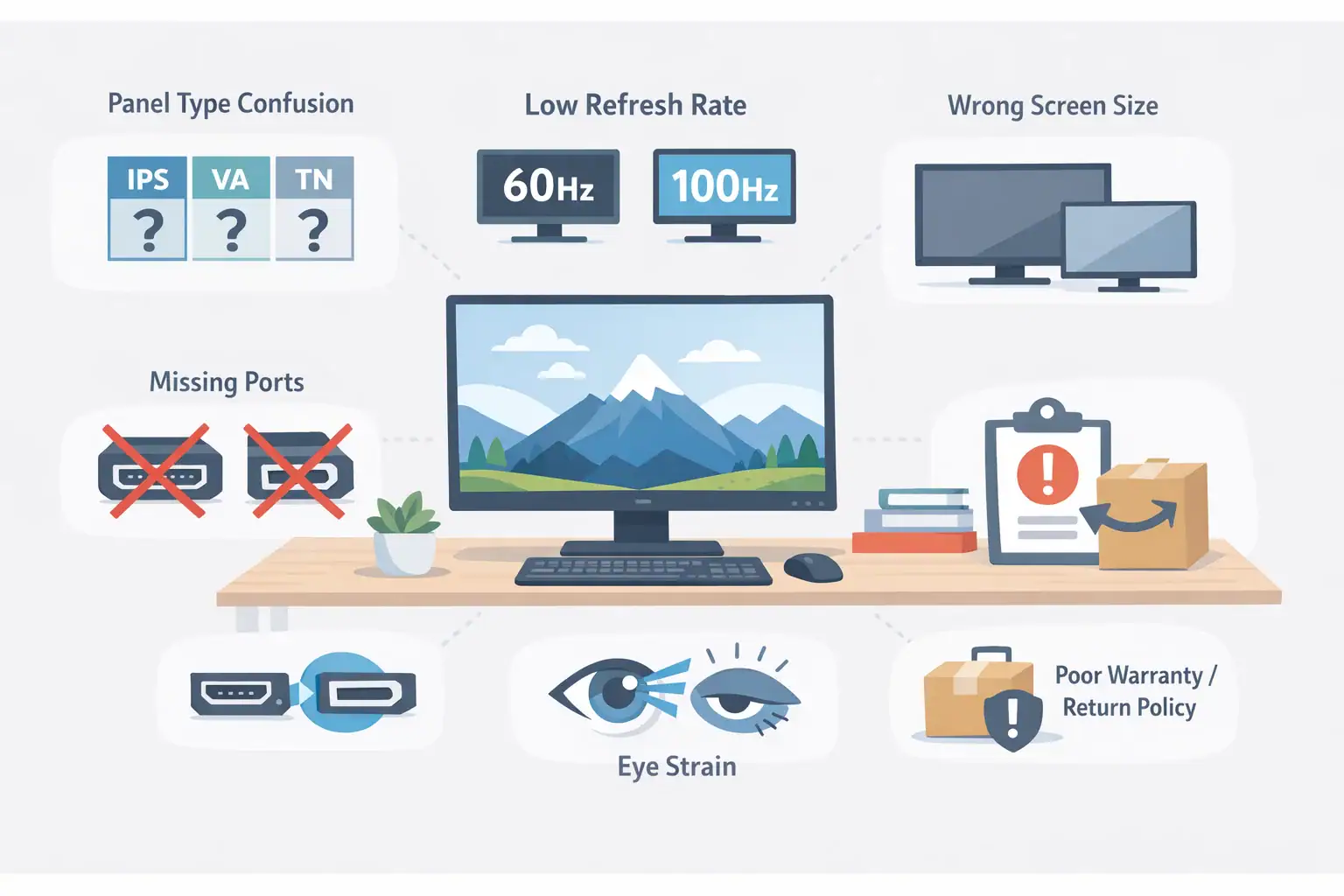
Even with the best list in front of you, it’s surprisingly easy to make the wrong choice. To help you avoid frustration, wasted money, or buyer’s regret, here are the most common mistakes people make when shopping for a budget monitor — and how to avoid them.
1. Choosing the Wrong Panel Type (IPS vs VA vs TN)
Many budget shoppers accidentally pick TN panels because they seem cheap. But TN panels usually have poor colors and bad viewing angles.
Avoid TN unless absolutely necessary.
IPS = best for color + work
VA = best for deep contrast + entertainment
2. Ignoring Refresh Rate
A 60Hz monitor may look okay, but upgrading to 75Hz or 100Hz makes everything feel smoother — scrolling, gaming, browsing.
Spending $10–$20 more for higher refresh rate is worth it.
3. Overestimating Screen Size
A 27-inch monitor sounds exciting, but on a small desk or close viewing distance, it may feel overwhelming.
Measure your workspace first — comfort > size.
4. Not Checking the Ports
Some monitors still come with only VGA or outdated HDMI versions. Make sure it has the ports you need:
- HDMI for laptops/consoles
- DisplayPort for gaming PCs
- USB-C for MacBooks or portable setups
5. Buying a Monitor Without Eye Comfort Features
Flicker-free + Low Blue Light are essential if you work long hours. Without them, you may experience headaches, fatigue, or eye strain.
Always prioritize eye comfort over fancy specs.
6. Assuming Higher Resolution = Better
4K and QHD sound tempting, but at this price, brands compromise other features (color, brightness, refresh rate).
Full HD is ideal and well-balanced for under $150.
7. Skipping Warranty & Return Policy
Budget monitors sometimes have minor issues like backlight bleed or dead pixels. Choose brands that offer:
- Good warranty (Philips 4-year, Dell, Samsung)
- Easy replacements
This protects your money.
8. Buying Without Considering Your Main Purpose
Gaming? Look for refresh rate + response time.
Work-from-home? Look for IPS + eye care.
Movies? Look for VA + curved.
No single monitor is best for everything — match the model to your use case.
Gaming Monitors Under $150
If you’re looking for the best budget gaming monitors under $150, there are several affordable displays that offer smooth performance for casual gaming. Many modern budget monitors now include refresh rates between 75Hz and 144Hz, along with technologies like adaptive sync to reduce screen tearing.
When choosing a best gaming monitor under $150, look for these key features:
- Higher refresh rate (75Hz or above) for smoother gameplay
- Low response time to reduce motion blur
- Adaptive sync support to prevent screen tearing
- IPS or VA panel for better color quality and contrast
While these monitors may not compete with high-end gaming displays, they still provide an excellent gaming experience for esports titles, casual gaming, and everyday entertainment.
Also Read These Related Articles:
- Best Portable Monitor for Laptops: Top Picks & Reviews
- The Ultimate Guide to Setting Up Your Home Office Tech
- Apple 2025 MacBook Air 13-inch M4 Review: The Best Air Yet?
- How to Build a PC: The Ultimate Guide to DIY PC Building
Conclusion: Choosing The Best Budget Monitors Under $150
Finding the best budget monitor under $150 doesn’t have to feel overwhelming. Once you understand what truly matters — the right screen size, the ideal panel type, essential eye-comfort features, and the ports that fit your setup — choosing the right monitor becomes much simpler. That’s exactly why I created this guide: to break everything down clearly so you can make a confident decision without second-guessing.
Whether you’re setting up a comfortable home office, looking for a smooth 100Hz monitor for casual gaming, choosing an immersive curved display, traveling with a portable second screen, or upgrading to a larger 27-inch monitor for productivity, there is a solid option in this price range that fits your needs. Each monitor in this list was selected to serve a specific purpose, so you’re not paying for features you won’t actually use.
At the end of the day, the best monitor is the one that fits your space, your daily tasks, and your lifestyle. If you follow the buying advice, avoid common mistakes, and choose based on how you actually use your screen, you’ll end up with a monitor that improves comfort, reduces eye strain, and makes your setup more enjoyable.
No matter which option you choose from this list, you’re picking a monitor trusted by thousands of real users — and one that delivers reliable performance without crossing the $150 mark. Take your time, compare what matters most to you, and choose the one that feels right.
Your next monitor should make your life easier — and now, you’re fully equipped to choose it with confidence.
FAQs About the Best Budget Monitors Under $150
Are budget monitors under $150 actually good?
Yes — the budget monitor market has improved dramatically. Many best budget monitors under $150 now offer 100Hz refresh rates, IPS panels, eye-comfort features, and excellent build quality. You can easily find a reliable monitor for work, study, gaming, or home office setups without overspending.
Is a 1080p monitor still good enough for work and gaming?
Absolutely. Full HD (1080p) remains the ideal resolution for this price range. It delivers sharp text for productivity, smooth visuals for entertainment, and excellent performance for casual gaming — all without requiring a high-end graphics card.
What screen size is best for a home office?
For most people, 24 inches is the sweet spot. It offers enough room for multitasking while still fitting comfortably on smaller desks. If you prefer more space or use multiple apps side-by-side, a 27-inch monitor is a great upgrade.
Are curved monitors good for productivity?
Yes. Curved monitors like the Samsung Essential S3 gently wrap around your field of vision, reducing the amount of eye movement needed. This can improve focus, reduce fatigue, and give you a more immersive workspace — especially for long hours.
Should I choose IPS, VA, or TN panel?
IPS = Best for accurate colors, wide viewing angles, and work-from-home setups.
VA = Best for deep contrast and entertainment (movies, dark scenes).
TN = Fast but outdated — not recommended unless you’re on a very tight budget.
Most users are happiest with IPS or VA.
Is 75Hz or 100Hz worth it over 60Hz?
Yes. Even for non-gamers, a higher refresh rate makes everyday tasks like scrolling, browsing, and moving windows feel smoother. For gaming, 75–100Hz is a big improvement over traditional 60Hz monitors.
Do these monitors work with MacBook, PS5, Xbox, or laptops?
Yes. As long as the monitor has HDMI or USB-C, it will work with:
MacBooks (USB-C or HDMI adapter)
Windows laptops
PS4 / PS5
Xbox consoles
PCs
If you use a MacBook, check whether the monitor supports USB-C for single-cable display.
What’s the best monitor under $150 for gaming?
The Sceptre 27″ FW100T is one of the strongest gaming options in this price range. It offers a 100Hz refresh rate, 1ms response time, FreeSync, and vibrant colors — a rare combination under $150.
How long do budget monitors usually last?
A good budget monitor typically lasts 5–7 years with normal use. Brands like Dell, Samsung, Philips, and Sceptre offer strong warranties and low failure rates, making them safe long-term picks.
Do all budget monitors come with HDMI cables?
Most include an HDMI cable in the box, but portable monitors often come with USB-C cables instead. Always check the “What’s Included” section before buying.
⭐ Before You Go — Share Your Thoughts & Stay Connected
I hope this buying guide helped you finally cut through the confusion and find the best budget monitor under $150 for your home office, gaming setup, or daily workflow. Now I’d love to hear from you!
👉 Which monitor did you like the most from this list?
👉 Are you planning to buy one soon?
👉 Do you have any questions or want personalized recommendations?
Share your thoughts in the comment section below — your feedback helps other readers make better decisions, and I reply to every helpful comment.
And if you enjoyed this guide, don’t leave without joining our free email newsletter. You’ll get:
- weekly tech deals
- honest buying guides
- product recommendations
- setup tips
- exclusive updates from USA Tech Deals
Hit the subscribe button and stay connected — I’d love to help you build a smarter, more affordable tech setup.
Thanks for reading, and happy monitor shopping!

Md Afraz Alam is a digital marketing consultant, content strategist, and the founder behind Techfee and USA Tech Deals. Through USA Tech Deals, he shares research-driven home office technology guides, product comparisons, remote work setup tips, and practical tech buying insights designed to help U.S. professionals, freelancers, and remote workers make smarter technology decisions without overspending on the wrong products.