
Topic guide · 1 guide
Wrist Pain: Keyboard and Mouse
Keyboard, mouse and wrist position fixes, plus the ergonomic gear that helps once position is right.

Fix the position first
the Occupational Safety and Health Administration’s (OSHA) guidance keeps the keyboard at about elbow height with wrists in a neutral, straight line and the mouse right next to the keyboard. If your desk is too high, raise the chair and add a footrest; if the keyboard sits too far away, you reach, and your shoulder and wrist pay for it.
Keyboards and mice that help
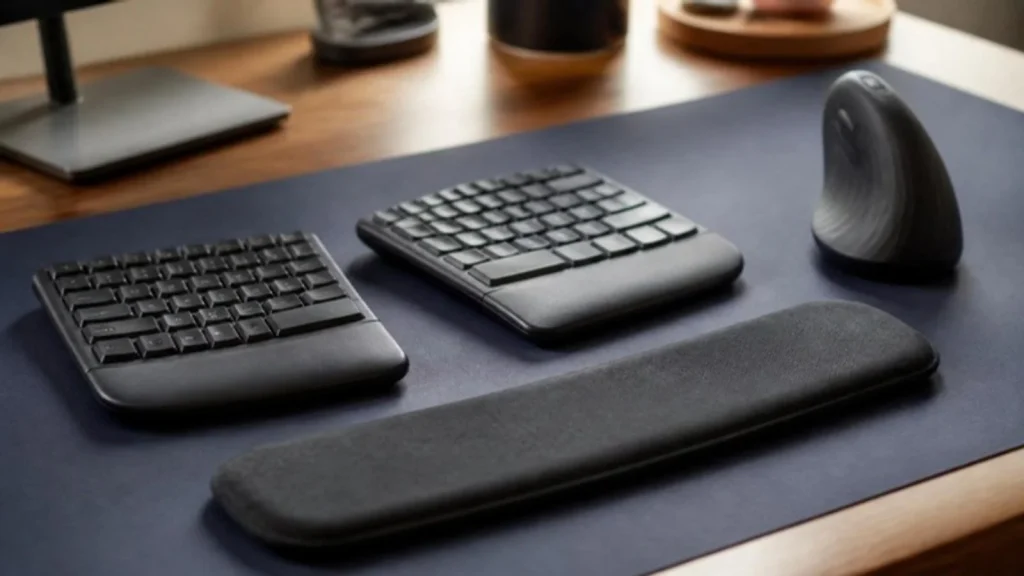
A low-profile keyboard or a slight negative tilt keeps wrists flat. Split and tented keyboards reduce the sideways bend for some people. A vertical mouse keeps the forearm in a handshake position. Try position changes first, then one piece of gear at a time.
Test your gear
A key that bounces or a mouse that double-clicks on its own makes you press harder and more often. The free Keyboard Tester and Mouse Test show exactly which key or button is failing, so you can clean or replace it before it becomes a habit.
What should I fix first?
Three fixes in the order that pays off fastest, using the measurements from the guides on this page.
- Fix the position first. Bring the keyboard and mouse to elbow height and close to your body, with wrists straight and elbows at about 90 degrees. If the desk is too high, raise the chair and add a footrest; the ergonomic desk setup hub has the measurements to check.
- Change how you type. Float your wrists while typing and rest them only during pauses, and keep the mouse right next to the keyboard so you are not reaching for it. Once a laptop sits on a stand, a separate keyboard and mouse are a must, not an upgrade.
- Only then change the gear. Try a low-profile keyboard or a slight negative tilt, a split or tented keyboard for the sideways bend, or a vertical mouse for a handshake position, one piece at a time. Run the free Keyboard Tester and Mouse Test first, because a bouncing key or a mouse that double-clicks on its own makes you press harder. If pain, tingling or numbness lasts more than a few weeks, see a doctor.
All guides in this topic
Related tools and guides
Get the Home Office Setup Checklist
Every step and measurement on one printable page.
FAQ
Is my wrist rest making it worse?
It can if you press your wrists into it while typing. Use it only when you pause.
Trackpad or mouse?
A mouse that fits your hand is usually easier on the wrist for all-day work than a laptop trackpad.
When is it carpal tunnel?
Numbness or tingling in the thumb, index and middle fingers that lasts or wakes you at night needs a doctor, not a new mouse.
Sources
- OSHA, Computer Workstations eTool: Keyboards and Pointers
This guide is general information, not medical advice.