
Gear
Keyboards and Mice
Keyboards, mice and wrist rests that keep your wrists straight through a full day, and how to test the ones you already own.
What will I find here? Keyboards, mice and wrist rests that keep wrists straight through a full day, how to set them at elbow height, and the free Keyboard Tester and Mouse Test for the ones you already own. Position comes first; gear comes second.

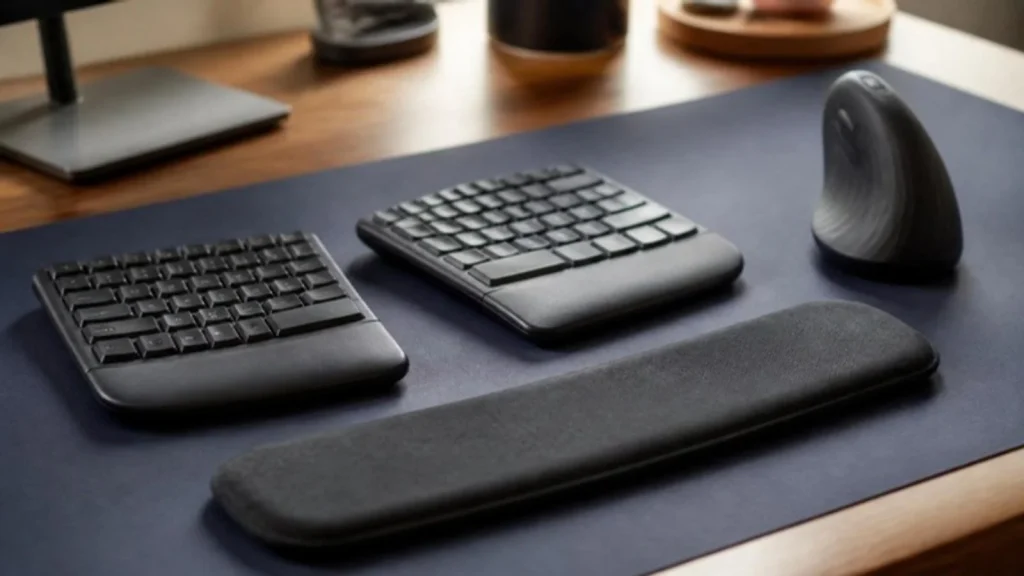
Position before products
the Occupational Safety and Health Administration’s (OSHA) workstation guidance puts the keyboard and mouse close together at elbow height, with wrists in a straight line. Many wrist complaints disappear when the keyboard is lowered or the chair raised. Only then does gear make a difference.
What to look for
Low-profile keys or a slight negative tilt keep wrists flat. A mouse that fits your hand matters more than its dots per inch (DPI). Wireless combos are fine for office work; check the battery rating and whether the receiver or Bluetooth suits your laptop.
Testing what you have
A key that types twice or a mouse that double-clicks on its own is a worn switch, not your imagination. The Keyboard Tester and Mouse Test run in your browser and show exactly which key or button is at fault.
Related tools and guides
Latest gear guides
- 9 Best Standing Desks Under $400 (2026): Explore These Top Picks
- 7 Best Office Chairs for Long Hours Under $200
- Best Office Chair for Back Pain Under $200 (2026): 7 Doctor-Reviewed Deep Dive Picks
- 9 Best Budget Office Chairs Under $200 (2026): US-Researched Ergonomic Picks
- 7 Best Budget Soundbars Under $200 – Affordable Picks That Actually Sound Great
- Best Noise Cancelling Headphones 2026: 7 Top Picks Under $100-$500 (Sony, Bose, JBL)
- Amazon Echo Pop Review: Best Smart Speaker for Small Spaces
- Logitech MK270 Wireless Keyboard and Mouse Combo Review
- JBL Tune 510BT Review: Best Budget Bluetooth Headphones with Pure Bass Sound
- HANYCONY Surge Protector Power Strip Review: The Ultimate Multi Plug Outlet Extender You Need in 2025
- 5 Best Budget Gaming Monitors (2026) – Top Picks for Smooth Gaming on a Budget
- Best Budget Monitors Under $150 (2026) for Work and Home Office
FAQ
Do I need an ergonomic keyboard?
Not always. Fix height and distance first. If wrist pain continues, a split or tented keyboard is worth trying.
Is a vertical mouse better?
It keeps the forearm in a handshake position, which some people find more comfortable. It takes a week to get used to.
Does a wrist rest help?
It helps when you rest between typing, not while typing. Keep wrists floating when you type.
Sources
- OSHA, Computer Workstations eTool: Keyboards and Pointers
This page is general information, not medical advice.