
Topic hub
Video Call Setup
Lighting, camera angle, mic and internet so you look and sound good on every call.

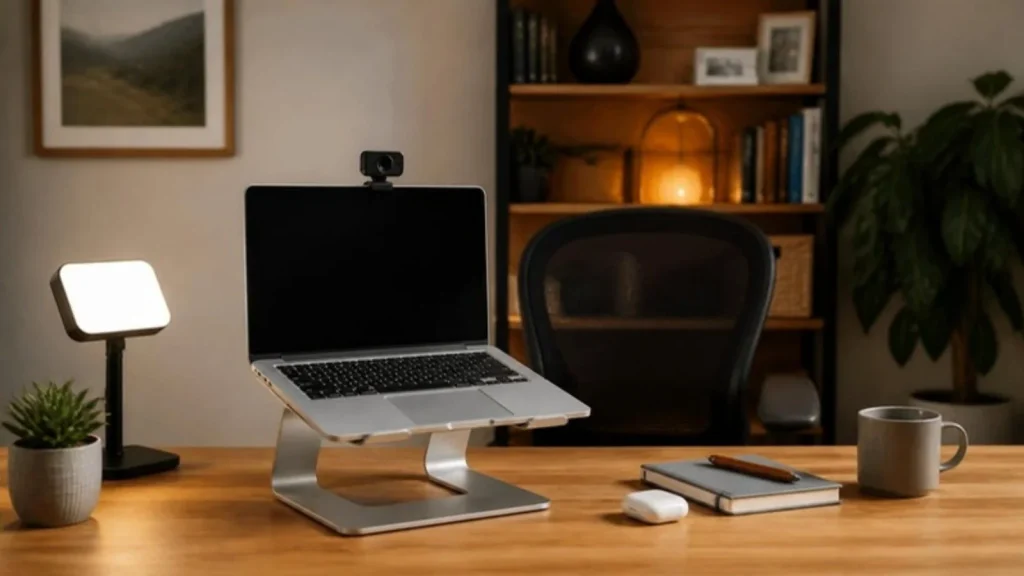
Light
Soft light from the front is the whole trick. Sit facing a window, or put a lamp or small key light just above the camera. Light from behind makes you a silhouette; light from one side only makes one half of your face dark.
Camera and framing
Put the camera at eye level so you look at people, not down at them. Keep your face in the upper third of the frame with a plain wall or bookshelf behind you. Clean the lens; it is the most skipped fix.
Sound and internet
A headset with a boom mic keeps your voice close and the room out. Turn on noise suppression in Zoom or Teams. For internet, upload speed is what matters: Zoom lists about 3.0 Mbps up for 1080p group calls, and cloud backups or family streaming share the same line. Use Ethernet or a mesh point if WiFi drops.
What should I fix first?
Three fixes in the order that pays off fastest, using the measurements from the guides on this page.
- Fix the light first. Sit facing a window, or put a lamp or small key light just above the camera; light from behind makes you a silhouette and light from one side leaves half your face dark. This is the whole trick, and it costs nothing when a window is available.
- Raise the camera to eye level with a laptop stand or a separate webcam, keep your face in the upper third of the frame with a plain wall or bookshelf behind you, and clean the lens. Run the free Webcam and Mic Test before the call to see what others see.
- Then sort sound and internet. A headset with a boom mic keeps your voice close and the room out, and noise suppression in Zoom or Teams removes much of the rest. Zoom lists about 3.0 Mbps upload for a 1080p group call, so test speed from your desk with the free Internet Speed Needs Calculator and use Ethernet or a mesh point if WiFi drops. The headsets guide has the picks.
All guides in this topic
New guides for this topic are published every week.
Related tools and guides
Get the Home Office Setup Checklist
Every step and measurement on one printable page.
FAQ
Why does my video freeze?
Usually upload speed or WiFi. Pause big uploads, move closer to the router or plug in, and drop to 720p if needed.
Do I need an external webcam?
If your laptop camera is below 1080p or sits too low, yes. Otherwise a stand and good light fix most problems.
How do I stop echo?
Wear a headset, pick the right microphone in the app, and soften the room with a rug or curtains.
Sources
- Zoom, system requirements for 1080p group video calls
- the Federal Communications Commission (FCC), 2024 Section 706 Report (broadband benchmark)
This guide is general information, not medical advice.