
Topic guide · 1 guide
Cable Management and Organization
Under-desk trays, standing desk cable routing and desk organization ideas.

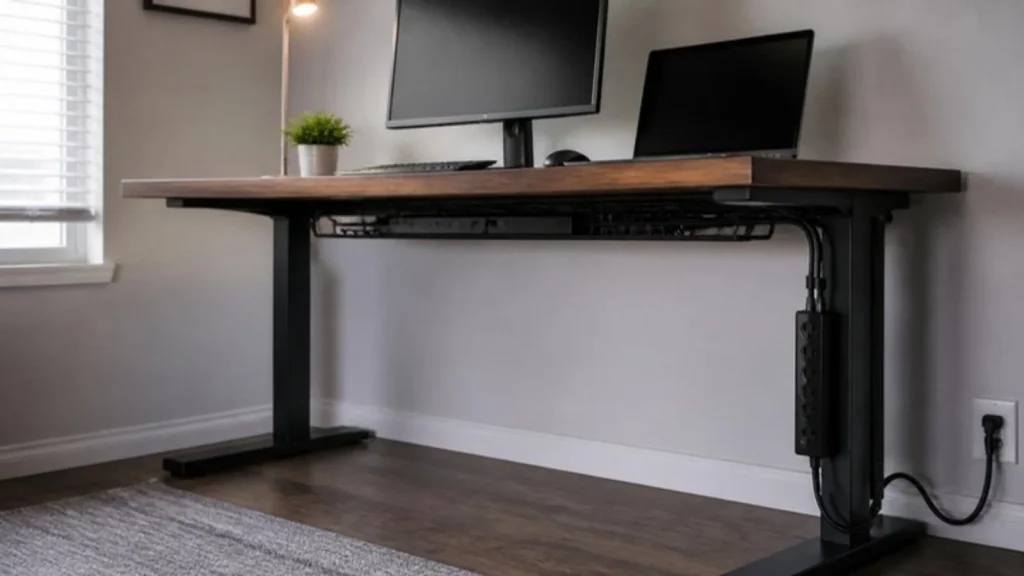
The one-cord method
Mount a surge protector under the desk and plug everything into it. Now one cord runs to the wall. Look for a UL listing and enough joules for the gear you plug in; a laptop, monitor and router are fine on a basic unit.
Trays, sleeves and clips
A tray under the back edge holds the power strip and the extra length. Adhesive clips run thin cables along the edge, and a sleeve bundles the drop to the floor. Keep charging cables for phones and headsets on top, clipped to the desk edge.
Standing desks and daily reset
A sit-stand desk needs slack: the cables must reach at full height, so run them through a vertical sleeve or spine down one leg. End each day with a two-minute reset: everything you did not use goes into a drawer or cabinet.
What should I fix first?
Three fixes in the order that pays off fastest, using the measurements from the guides on this page.
- Start with one cord to the wall. Mount a UL-listed surge protector under the desk and plug everything into it; a laptop, monitor and router are fine on a basic unit. The accessories section covers surge protectors and battery backups, and the free uninterruptible power supply (UPS) Battery Backup Calculator sizes a backup for your desk.
- Give the slack a home. Put an under-desk tray along the back edge for the power strip and the extra length, run thin cables along the edge with adhesive clips, and bundle the drop to the floor in a sleeve. Label both ends of every cable before you tidy, so the next change takes minutes.
- Handle the sit-stand desk and the daily reset. On a sit-stand desk, mount the strip under the desktop so it travels with the desk and leave one loop of slack in the cord to the wall. End each day with a two-minute reset: anything you did not use goes into a drawer or cabinet. The home office ideas page shows five tidy layouts.
All guides in this topic
Related tools and guides
Get the Home Office Setup Checklist
Every step and measurement on one printable page.
FAQ
Power strip or surge protector?
Surge protector, UL-listed. A plain power strip only adds outlets.
How do I handle a sit-stand desk?
Mount the strip under the desktop so it travels with the desk, and leave one loop of slack in the cord to the wall.
What about renting?
Adhesive clips, trays that clamp and sleeves leave no holes. Avoid screws in walls.
Sources
- UL, surge protective device listings
- the Occupational Safety and Health Administration (OSHA), Computer Workstations eTool
This guide is general information, not medical advice.