
Gear
Accessories
Laptop stands, monitor arms, lights, cable trays, surge protectors and battery backups: the small items that make a desk work all day.
What will I find here? The small items that make a desk work: laptop stands, monitor arms, lights, cable trays, surge protectors and battery backups. Each one is explained with what to check before buying and which guide or free tool helps you size it.

Stands and arms
The goal is the same for both: the top of the screen at or slightly below eye level, 20 to 40 inches away. A stand works for a fixed spot; an arm lets you move the screen for calls or standing. Measure the desk edge thickness and check the arm’s weight range against your monitor.
Light
Soft light in front of you for video calls and a lamp to the side for desk work. A monitor light bar lights the desk without glare on the screen. See the Eye Strain and Lighting hub for the setup.
Power and cables
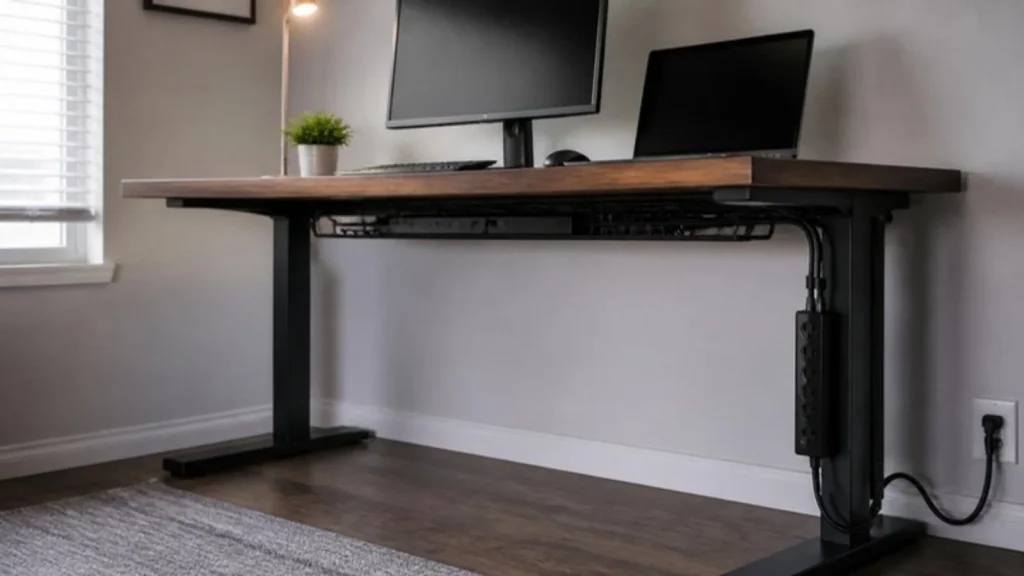
Look for a UL listing on surge protectors. If you work through storms or an unreliable grid, size a UPS with the UPS Runtime Calculator so your router and modem stay up. Run cables through a tray under the desk and down one leg.
Related tools and guides
Latest gear guides
- 9 Best Standing Desks Under $400 (2026): Explore These Top Picks
- 7 Best Office Chairs for Long Hours Under $200
- Best Office Chair for Back Pain Under $200 (2026): 7 Doctor-Reviewed Deep Dive Picks
- 9 Best Budget Office Chairs Under $200 (2026): US-Researched Ergonomic Picks
- 7 Best Budget Soundbars Under $200 – Affordable Picks That Actually Sound Great
- Best Noise Cancelling Headphones 2026: 7 Top Picks Under $100-$500 (Sony, Bose, JBL)
- Amazon Echo Pop Review: Best Smart Speaker for Small Spaces
- Logitech MK270 Wireless Keyboard and Mouse Combo Review
- JBL Tune 510BT Review: Best Budget Bluetooth Headphones with Pure Bass Sound
- HANYCONY Surge Protector Power Strip Review: The Ultimate Multi Plug Outlet Extender You Need in 2025
- 5 Best Budget Gaming Monitors (2026) – Top Picks for Smooth Gaming on a Budget
- Best Budget Monitors Under $150 (2026) for Work and Home Office
FAQ
Which accessory first?
A laptop stand with a keyboard and mouse if you work from a laptop; otherwise a monitor arm or a better light.
Do I need a UPS?
A laptop has a battery; a small UPS for the router and modem keeps calls alive during a short outage. A desktop needs a bigger one.
How do I hide cables?
An under-desk tray, one power strip under the desk, and cable sleeves down one leg. The Cable Management hub has the full method.
Sources
- the Occupational Safety and Health Administration (OSHA), Computer Workstations eTool
- UL, surge protective device listings
This page is general information, not medical advice.