
Topic guide · 3 guides
Office Chairs for Back Pain and Long Hours
Which chair features actually help a sore back, how to set a chair up, and research-based picks at every budget.

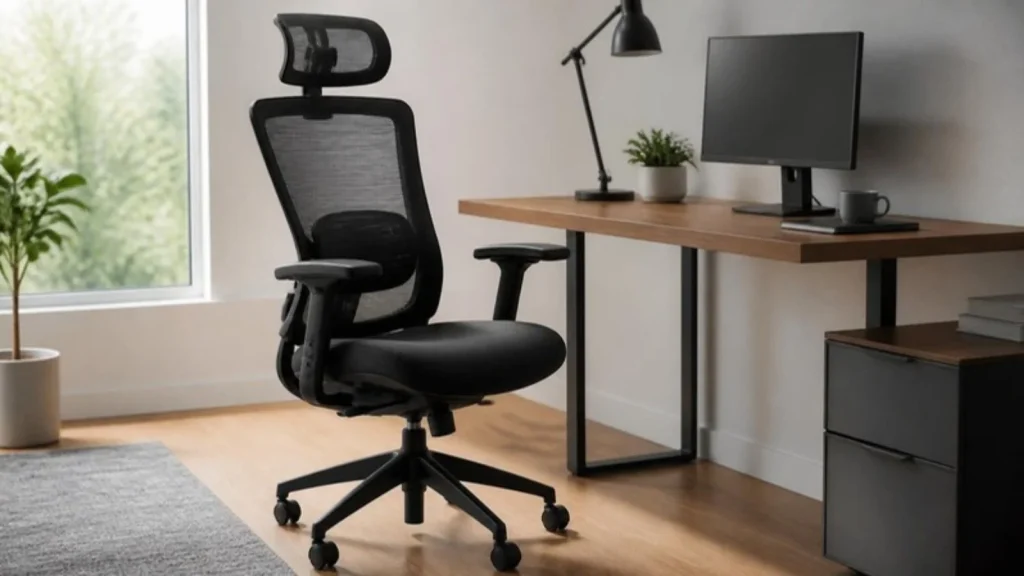
What a good chair does
A chair has one job: hold you in a neutral posture for hours without you noticing it. That means a seat height you can set so your feet are flat, a backrest that supports the curve of your lower back, and armrests that let your shoulders relax. Everything else is comfort, not health.
Features worth paying for
Adjustable lumbar support (height and depth), seat depth adjustment so two or three fingers fit between the seat edge and the back of your knee, armrests that move up and down, and a tilt that locks. A breathable mesh back helps in warm rooms. Headrests only matter if you recline a lot.
Size, weight and warranty
Chair sizes vary more than people expect. Check the seat height range against your own desk height, and the weight rating against your weight. ANSI/BIFMA X5.1 testing is based on a 275 lb user; if you are heavier, choose a chair rated for you. Read the warranty for the gas cylinder and mechanism separately.
What should I look for in an office chair for back pain?
Lumbar support that adjusts in height and depth, seat depth with two or three fingers of clearance behind the knee, armrests that move and a tilt that locks at a slight recline of 100 to 110 degrees. Check the seat height range against your desk and the weight rating against your weight.
All guides in this topic
Related tools and guides
Get the Home Office Setup Checklist
Every step and measurement on one printable page.
FAQ
Is a $150 chair good enough?
Often yes, if it has adjustable height, a real lumbar support and a return window. Our under-$200 guides list the ones that hold up.
Mesh or foam?
Mesh stays cooler and keeps its shape; foam feels softer at first. For long days most people do better with mesh or a hybrid.
Why does my back still hurt in a good chair?
Usually the chair is set wrong or the desk and screen are off. Run the Ergonomics Self-Check.
Sources
- BIFMA, ANSI/BIFMA X5.1 General-Purpose Office Chairs
- the Occupational Safety and Health Administration (OSHA), Computer Workstations eTool: Chairs
This guide is general information, not medical advice.